
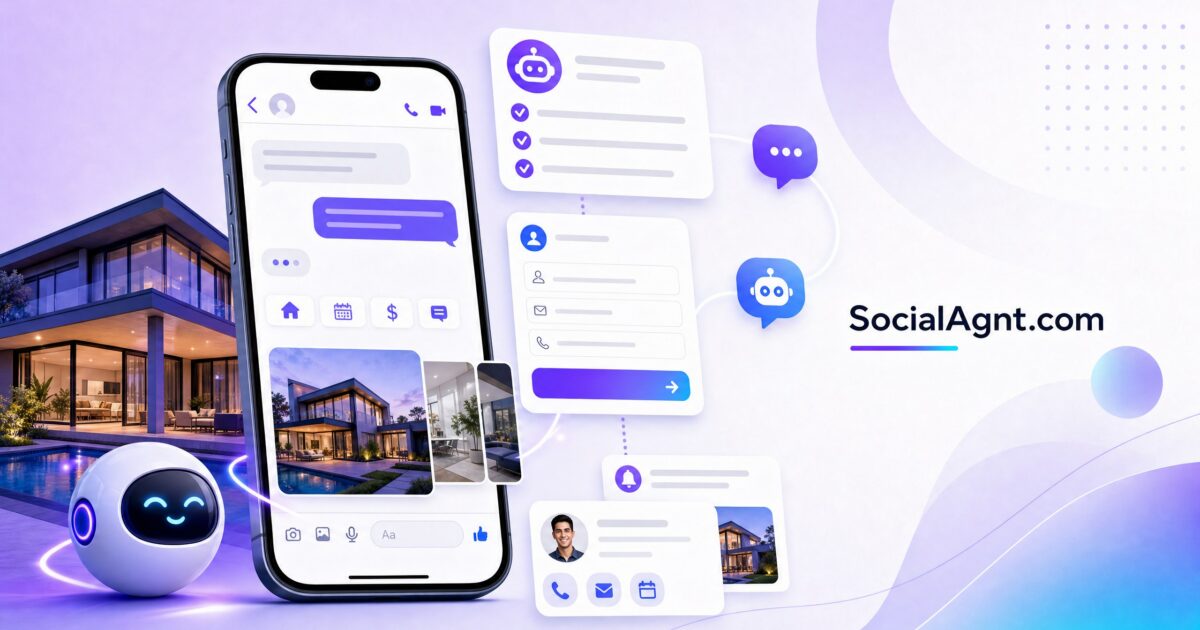
Key Takeaways: Facebook Messenger has quietly become one of the highest-converting lead capture channels in real estate — with open rates of 70-80% (compared to email’s 20-30%) and conversation-to-lead conversion rates of 20-40% when driven by targeted ads. Messenger occupies a unique position in the lead generation ecosystem: it combines the immediacy of a phone call with the convenience of text messaging, creating a conversational environment where prospects feel comfortable sharing their situation, timeline, and needs. For real estate agents, Messenger’s power is amplified by chatbot automation — AI-powered conversation flows that qualify leads, answer common questions, and schedule appointments 24 hours a day, 7 days a week, even when you’re in a showing or sleeping. Tools like ManyChat and Chatfuel make chatbot creation accessible to non-technical agents, while Messenger ads drive targeted prospects directly into automated conversation flows that qualify and capture leads before you ever pick up the phone. This guide covers the complete Facebook Messenger strategy for real estate: setting up automated responses, building chatbot qualification flows, running Messenger ads, integrating with your CRM, and using conversational commerce to convert more prospects into signed clients.
Why Messenger Outperforms Traditional Lead Capture
The Engagement Advantage
Email marketing remains valuable, but its engagement metrics have declined steadily for years. The average email open rate across industries hovers around 20-30%, and click-through rates are in the low single digits. Facebook Messenger flips these numbers dramatically: message open rates reach 70-80%, and click-through rates on links within Messenger conversations regularly exceed 20%. This engagement gap exists because Messenger notifications feel personal and immediate — a Messenger ping gets the same instinctive attention as a text message, while an email competes with dozens of other messages in an overcrowded inbox.
The Conversational Format
Traditional lead capture — fill out this form, wait for a response — creates friction and delay. Messenger creates conversation. When a prospect messages your page with a question about a listing, they expect (and receive) a near-instant response. That conversational momentum keeps the prospect engaged in ways that form submissions and email exchanges can’t replicate. In real estate, where decisions are emotional and questions are personal, the conversational format of Messenger aligns perfectly with how people want to interact with their potential agent.
The 24/7 Availability Factor
Real estate prospects don’t operate on business hours. They browse listings at 10 PM, think about selling during their Sunday morning coffee, and research neighborhoods during their lunch break. Messenger chatbots ensure that whenever a prospect reaches out — regardless of the hour — they receive an immediate, helpful response that captures their information and begins the qualification process. This 24/7 availability means you never lose a lead to slow response time, which research suggests is responsible for losing 60-70% of potential clients.
Setting Up Messenger for Your Facebook Page
Instant Replies
Facebook’s built-in instant reply feature sends an automatic response to anyone who messages your page for the first time. Configure this with a friendly, professional message: “Hi! Thanks for reaching out. I’m [name], a real estate agent serving the [city] area. I’ll get back to you personally as soon as possible — usually within an hour. In the meantime, is there anything specific I can help you with?” This immediate acknowledgment keeps the prospect engaged while you prepare to respond personally.
Away Messages
Set up away messages for times when you can’t respond quickly — evenings, weekends, or during client appointments. “Thanks for your message! I’m currently with a client but will respond within a few hours. If your question is urgent, feel free to call me at [phone number].” Away messages set expectations and prevent prospects from feeling ignored during your offline hours.
Frequently Asked Questions
Facebook allows you to set up automated responses to frequently asked questions. Configure responses for the questions your page receives most often: office hours and location, how to schedule a consultation, current market conditions, and your service area. These automated responses provide instant value while you’re unavailable for personal responses.
SocialAgnt’s AI-powered content drives engagement that starts Messenger conversations. Schedule across Instagram, Facebook, TikTok, LinkedIn, YouTube, and Google Business Profile — then let Messenger convert the conversations into leads. Start your free account today.
Building a Real Estate Chatbot
Chatbot Platforms for Real Estate
ManyChat is the leading Messenger automation platform for real estate agents. Its visual flow builder lets you create conversation sequences without coding — dragging and dropping message blocks, conditional logic, and response triggers into automated flows. ManyChat also works across Instagram DM, WhatsApp, and SMS, creating a unified automation system across your messaging channels. The free tier provides basic functionality; the Pro tier ($15/month) unlocks advanced features including custom fields, A/B testing, and unlimited growth tools.
Chatfuel offers similar visual flow-building capabilities with an emphasis on simplicity. Its drag-and-drop interface makes creating chatbot flows accessible to complete beginners, and its template library includes real estate-specific flows that you can customize to your business. Chatfuel’s AI integration enables more natural conversational responses beyond simple scripted flows.
Specialized real estate chatbots like Roof.ai and AVA are purpose-built for real estate lead generation. These platforms integrate with MLS feeds to showcase listings within Messenger conversations, automatically route leads to appropriate agents based on geographic or specialization criteria, and provide real estate-specific qualification flows out of the box.
The Lead Qualification Flow
The most valuable chatbot flow for real estate agents is the lead qualification sequence — an automated conversation that gathers key information from prospects before you engage personally. A proven qualification flow structure includes: a greeting that acknowledges the prospect’s interest and sets conversational tone, a buying-or-selling question that routes the conversation appropriately, timeline questions (“When are you hoping to [buy/sell]?”), budget or price range questions for buyers, location preference questions (“Which neighborhoods are you most interested in?”), and a pre-approval status question for buyers (“Are you working with a lender yet?”).
Each response is stored in your chatbot platform and can be automatically synced to your CRM — giving you a qualified lead profile before you ever send a personal message. When you do follow up, you can reference their specific answers: “I see you’re looking for a 3-bedroom in [neighborhood] with a budget around $400K — I actually have a few properties that might be perfect. Want to take a look?”
Property Inquiry Flows
Create automated flows for specific listing inquiries. When someone messages about a particular property, the chatbot delivers key details (price, specs, photos, virtual tour link) and then asks qualifying questions: “Would you like to schedule a showing?” “Are you currently working with an agent?” “What’s your timeline for buying?” This flow provides instant gratification (the prospect gets the information they wanted immediately) while capturing qualification data that helps you prioritize follow-up.
Resource Delivery Flows
Automate the delivery of lead magnets through Messenger. When someone comments a keyword on your post (like “GUIDE”) or clicks a Messenger ad, the chatbot automatically delivers the promised resource (market report, buyer checklist, neighborhood guide) and follows up with a qualifying question: “Happy to help! Are you currently in the market, or just planning ahead?” This flow converts content engagement into captured leads at scale without requiring manual intervention for each interaction.
Messenger Ads: Driving Conversations at Scale
Click-to-Messenger Ads
Click-to-Messenger ads appear in the Facebook and Instagram feed with a “Send Message” CTA button. Instead of directing to a website or lead form, clicking the ad opens a Messenger conversation with your page — where your chatbot immediately engages the prospect. These ads are particularly effective for real estate because they combine the targeting precision of Facebook advertising with the high-conversion environment of Messenger conversations. Conversation-to-lead rates for Messenger ads reach 20-40%, often outperforming traditional landing page conversion rates.
Sponsored Messages
Sponsored messages let you send promotional messages directly to people who’ve previously messaged your page — effectively retargeting within Messenger. Use sponsored messages to re-engage past conversations: “Hey [name], we chatted about your home search a few weeks ago — the market has some great new listings that might interest you. Want to take a look?” Sponsored messages have extremely high open rates because they appear in existing Messenger conversations rather than competing for attention in the news feed.
Ad Creative for Messenger Campaigns
Messenger ad creative should emphasize conversation and accessibility rather than hard selling. Effective approaches include: “Have questions about the [city] market? Message us — we’re here to help” (low pressure, value-first), “Curious what your home is worth? Send us a message for a free estimate” (specific value offer), and “Looking for homes in [neighborhood]? Message us and we’ll send you the latest listings” (direct utility). The ad should make messaging feel natural and beneficial — not like a commitment or sales interaction.
CRM Integration and Lead Management
Connecting Messenger to Your CRM
The value of Messenger lead capture multiplies when conversations sync with your CRM. Platforms like ManyChat and Chatfuel integrate with major CRMs through Zapier, direct API connections, or native integrations. When a prospect completes your qualification flow, their information — name, phone number, email, timeline, preferences — automatically creates a new contact in your CRM with the appropriate tags and follow-up tasks. This automation eliminates manual data entry and ensures no lead falls through the cracks between Messenger and your follow-up system.
Lead Routing for Teams
For teams and brokerages, chatbot platforms can route qualified leads to specific agents based on predefined rules: geographic area, buyer vs. seller, price range, or simple round-robin rotation. The prospect experiences a seamless handoff — “Great news! I’m connecting you with [agent name], who specializes in [neighborhood]. They’ll be reaching out shortly!” — while the backend automatically assigns the lead and notifies the appropriate agent.
Best Practices for Messenger Conversations
Speed of Personal Follow-Up
Chatbots handle the initial interaction, but personal follow-up closes the deal. When a chatbot qualifies a lead, aim to send a personal message within 15 to 30 minutes during business hours. The transition from automated to personal should feel seamless: “Hey [name], this is [your name] — I saw your answers and I think I can really help. You mentioned you’re looking for a 3-bedroom in [neighborhood] — I actually just toured a great one yesterday. Want to hear about it?”
Conversational Tone
Messenger conversations should feel like texting a knowledgeable friend — not like interacting with a corporation. Use first names, casual language, and brief messages. Send multiple short messages rather than one long paragraph. Use emojis sparingly but naturally. The conversational tone that Messenger demands is actually an advantage for relationship building — it accelerates the familiarity that converts prospects into clients.
Respecting Boundaries
Messenger is a personal channel — respect that intimacy by not over-messaging. Follow Facebook’s messaging policies (which restrict promotional messages after 24 hours of inactivity) and use good judgment about frequency. A prospect who answered your qualification questions but hasn’t responded to your personal follow-up doesn’t need three more messages that day. One thoughtful follow-up, then patience. The relationship develops at the prospect’s pace, not yours.
Measuring Messenger Performance
Track these metrics for your Messenger strategy: conversation volume (total new Messenger conversations per week), qualification completion rate (percentage of conversations that complete your chatbot flow), response time (how quickly you follow up personally after chatbot qualification), Messenger-to-appointment rate (percentage of qualified Messenger leads who schedule a consultation or showing), and cost per Messenger lead (for paid Messenger ad campaigns). These metrics reveal the health of your Messenger funnel and identify where prospects drop off — enabling targeted improvements.
Facebook Messenger transforms your lead generation from a form-fill-and-wait model into an immediate, conversational experience that captures, qualifies, and nurtures prospects at scale. Set up your automated responses, build qualification chatbots, run Messenger ads that drive conversations, and integrate everything with your CRM for seamless follow-up. The agents who master Messenger create a lead generation system that works around the clock — qualifying prospects while they sleep, delivering resources while they’re in showings, and building relationships that convert into business. Pair your Messenger strategy with SocialAgnt‘s content engine to drive the engagement that starts conversations across every platform.
SocialAgnt’s AI creates engaging content that drives Messenger conversations — plus scheduling across Instagram, Facebook, TikTok, LinkedIn, YouTube, and Google Business Profile from one dashboard. Start free today.
Ready to save 5+ hours per week on social media?
SocialAgnt helps real estate agents schedule posts, create AI content, and grow their brand across 7 platforms. Try it free for 14 days.
