
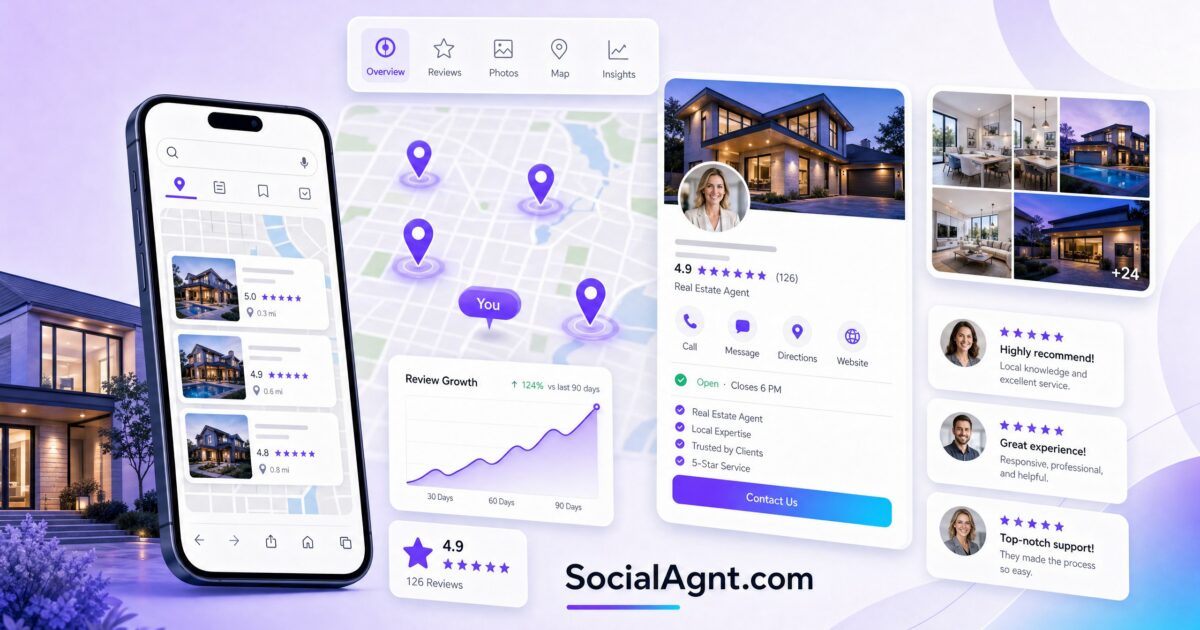
Key Takeaways: Google Business Profile is the most powerful free marketing tool most real estate agents are either ignoring or drastically underusing. When someone searches “real estate agent near me” or “homes for sale in [city],” Google Business Profile determines which agents appear in the local map pack — the top three results that get the overwhelming majority of clicks. An optimized GBP profile doesn’t just improve your visibility; it puts you directly in front of people with active buying or selling intent at the exact moment they’re searching for an agent. This guide covers everything from claiming and verifying your profile to optimizing every field for local SEO, generating reviews that build trust, posting content that keeps your profile active, and tracking the leads your profile generates.
Why Google Business Profile Matters More Than Most Agents Realize
Google Business Profile (formerly Google My Business) is fundamentally different from social media platforms like Instagram or Facebook. On social media, you’re trying to capture attention from people who are scrolling for entertainment or information. On Google, you’re appearing in front of people who are actively searching for what you offer — right now, in this moment, with intent to take action.
When someone types “best real estate agent in [city]” or “homes for sale near me” into Google, the first thing they see (before organic results, before ads) is the local map pack — a prominent section showing three local businesses with their ratings, reviews, and contact information. According to BrightLocal research, 87% of consumers read online reviews for local businesses, and 98% of consumers use the internet to find information about local businesses. For real estate specifically, appearing in this map pack puts you in front of high-intent prospects at the exact moment they’re looking for help.
The agents who dominate their local map pack consistently report that Google generates some of their highest-quality leads — because these are people who searched, found them, read their reviews, and then made contact. The buyer or seller who finds you through a Google search and sees 50 five-star reviews doesn’t need to be sold on your competence. They’ve already been pre-sold by your profile.
Setting Up and Verifying Your Google Business Profile
If you haven’t claimed your Google Business Profile yet, this is the single most impactful thing you can do for your online presence today. If you have a profile but haven’t optimized it, the improvement opportunity is significant.
Claiming Your Profile
Go to business.google.com and search for your business. If a profile exists (Google sometimes auto-generates profiles from public data), claim it. If not, create one. You’ll need your business name (use your full professional name and brokerage: “Jane Smith | Keller Williams Realty”), your business category (select “Real estate agent” as your primary category — you can add secondary categories like “Real estate agency” and “Real estate consultant”), and your service area (the cities and neighborhoods you serve).
Verification
Google requires verification to confirm you’re a real business. Verification methods include a postcard sent to your business address, a phone call or text to your business number, or email verification. Complete this process promptly — your profile won’t appear in search results until it’s verified.
Office Address vs. Service Area
If you work from an office that clients visit, use your office address. If you work from home or don’t have a client-facing office, set up your profile as a service-area business — you define the geographic areas you serve without displaying a specific address. For most real estate agents, a service-area profile is appropriate because your clients don’t visit your office; you go to them.
Optimizing Every Section of Your Profile
Google uses the information in your profile to determine when and where to show you in search results. Every field you leave empty or poorly optimized is a missed opportunity to rank higher and convert more viewers into leads.
Business Name
Use your real business name as it appears in the real world. Don’t keyword-stuff your business name (like “John Smith – Best Real Estate Agent Denver Colorado”) — this violates Google’s guidelines and can get your profile suspended. If your professional identity includes your brokerage name, include it naturally: “John Smith | Compass Real Estate.”
Business Description
You have 750 characters to describe your business. Use them strategically. Include your primary service areas (specific cities and neighborhoods), the types of clients you serve (first-time buyers, luxury sellers, investors), your key differentiators, and your years of experience or transaction volume. Write naturally but include keywords that people search for: “[City] real estate agent,” “homes for sale in [neighborhood],” “buying a home in [city].”
Example: “Serving the greater Austin metro area with 12 years of local market expertise. I specialize in helping first-time homebuyers navigate the Austin market with confidence — from pre-approval through closing day. Whether you’re looking in East Austin, Round Rock, Cedar Park, or the surrounding communities, I provide personalized guidance backed by deep neighborhood knowledge. Licensed with Keller Williams Realty.”
Categories
Your primary category should be “Real estate agent.” Add relevant secondary categories: “Real estate agency,” “Real estate consultant,” “Property management company” (if applicable), and “Real estate appraiser” (only if you hold this credential). Categories help Google understand what you do and match your profile with relevant searches.
Service Areas
List every city, town, and neighborhood you actively serve. Be specific — if you cover five suburbs of a major metro, list each one individually rather than just the metro name. Google uses service areas to match your profile with location-specific searches. The more accurately your service areas reflect where you actually work, the more relevant searches you’ll appear in.
Services
Google lets you list specific services you offer. Add all that apply: buyer representation, seller representation, listing services, relocation assistance, first-time buyer guidance, luxury home sales, investment property consultation, market analysis, home valuation, and any specialties. Each service becomes a signal that helps Google match your profile with relevant queries.
Photos and Videos
Profiles with photos get 42% more requests for directions and 35% more click-throughs to websites, according to Google’s own data. Upload a professional headshot as your profile photo, a branded cover image, photos of properties you’ve sold (exterior and interior), photos of you at closings with clients (with permission), neighborhood and community photos that showcase your market, and short video clips (property tours, market updates, agent introduction). Add new photos regularly — Google favors profiles that demonstrate ongoing activity.
Contact Information
Include your phone number (the one you actually answer), your website URL, and your appointment booking link if you have one. Ensure your name, address, and phone number (NAP) are exactly consistent with what appears on your website, social media profiles, and any directory listings. NAP consistency is a fundamental local SEO signal — inconsistencies confuse Google and can hurt your ranking.
SocialAgnt lets you schedule Google Business Profile posts alongside Instagram, Facebook, TikTok, LinkedIn, and YouTube — keeping your GBP active and your local SEO strong without adding another platform to manage manually. Start free today.
Google Reviews: The Most Powerful Trust Signal in Real Estate
Reviews are the single most important factor in your Google Business Profile’s success. They influence both your ranking in the local map pack (more high-quality reviews = higher ranking) and your conversion rate (potential clients trust agents with more positive reviews). A profile with five reviews and a 5.0 rating is less compelling than a profile with 75 reviews and a 4.8 rating — volume communicates established credibility.
How to Get More Reviews
Ask at closing: The best time to ask for a review is at closing — when emotions are positive, the experience is fresh, and your client’s satisfaction is highest. Have a simple, direct request: “I’m so glad we found you the perfect home. If you have a minute, a Google review would mean the world to me — it helps other buyers find me. I’ll text you the link right after we celebrate.”
Make it effortless: Create a direct link to your Google review form (search “Google review link generator” for instructions). Share this link via text message immediately after your closing conversation. The fewer clicks between your request and the review form, the more reviews you’ll get.
Follow up once: If a client hasn’t left a review within three days, send one gentle follow-up text with the direct link. Don’t follow up more than once — you want reviews to feel voluntary, not obligatory.
Ask beyond closings: Happy clients aren’t the only people who can review you. Ask referral partners who’ve seen your work, colleagues who can speak to your professionalism, and even prospects who appreciated your guidance even if they didn’t end up buying or selling. Anyone who’s had a positive interaction with your business can leave a review.
Responding to Reviews
Respond to every single review — positive and negative. For positive reviews, write a personalized thank-you that references something specific about the transaction: “Thank you, Sarah! Finding that perfect home in [neighborhood] was such a fun process — I’m glad we could make it happen in such a competitive market.” This shows future readers that you’re engaged, personal, and attentive.
For negative reviews, respond professionally and empathetically. Acknowledge their experience, express your commitment to client satisfaction, and offer to discuss the issue privately. Never argue, never blame, and never get defensive. Potential clients who read your response to a negative review learn more about your character than they do from fifty positive reviews.
Google Business Profile Posts
GBP posts are a frequently overlooked feature that lets you publish content directly on your Google profile. Posts appear when someone views your profile in search results and serve two purposes: they keep your profile active (which signals relevance to Google’s algorithm) and they give potential clients more reasons to contact you.
Types of GBP Posts
Update posts: Share news, market updates, or general information. “Austin’s spring market is heating up — inventory is up 12% and median prices have stabilized. Wondering what this means for your home search? Let’s talk.”
Event posts: Promote open houses, homebuyer seminars, community events, or virtual market update sessions. Include the date, time, and a call to action.
Offer posts: Promote a special offer — a free home valuation, a complimentary buyer consultation, or a downloadable market report. Include an expiration date to create urgency.
GBP Posting Strategy
Post one to two times per week. Google posts expire after seven days (except event posts), so regular posting keeps your profile fresh. Include a high-quality image with every post. Include a call-to-action button (Call now, Learn more, Book, or Visit website). Write posts that include local keywords naturally: “[City] real estate market,” “homes for sale in [neighborhood],” “[City] first-time buyers.”
The beauty of GBP posts is that they require minimal effort — a short paragraph, an image, and a CTA — and they contribute to both your local SEO and your profile’s conversion rate. Schedule them alongside your social media content through SocialAgnt so they’re part of your regular workflow, not an afterthought.
Local SEO Signals That Boost Your Profile
Your Google Business Profile doesn’t exist in a vacuum. It’s part of a broader local SEO ecosystem, and several external factors influence where your profile ranks in search results.
NAP Consistency
Your Name, Address, and Phone number should be exactly identical everywhere they appear online — your website, your social media profiles, your Zillow profile, your Realtor.com profile, your brokerage website listing, and every directory where you’re listed. Even small inconsistencies (like “Street” vs. “St.” or different phone numbers) can confuse Google and weaken your local ranking.
Website Optimization
Your website should include your service areas, your full contact information, location-specific content (neighborhood pages, local market reports), and structured data markup that helps Google understand your business. A website that reinforces the same information as your GBP profile strengthens both.
Citations and Directory Listings
Citations are mentions of your business on other websites — particularly directories like Zillow, Realtor.com, Yelp, the BBB, and your local Chamber of Commerce. Each consistent citation is a signal to Google that your business is legitimate and active. Ensure your information is accurate across all major directories, and consider using a citation management service to maintain consistency at scale.
Backlinks
Links from other reputable websites to yours tell Google that your business is trusted and authoritative. For real estate agents, backlinks from local media outlets (if you’re quoted in an article about the housing market), local business organizations, your brokerage website, and your blog content shared by others all contribute to stronger local rankings.
Tracking Your GBP Performance
Google Business Profile includes built-in analytics (called Insights) that show you how people find and interact with your profile.
Search queries: What terms people are searching when your profile appears. This tells you which keywords are driving your visibility and helps you identify new keyword opportunities.
Views: How many times your profile was viewed in search results and Google Maps. Track this over time — increasing views indicate improving visibility.
Actions: What people do after viewing your profile — website visits, direction requests, phone calls, and message sends. These are your conversion metrics. If your profile gets many views but few actions, your profile content may need improvement. If you get many actions, your profile is converting well.
Photo views: How often your photos are viewed, compared to similar businesses. More photo views indicate a more engaging profile.
Review these metrics monthly. Look for trends: are your views growing? Are certain types of posts driving more actions? Is your phone call volume increasing? Use these insights to refine your profile, your posting strategy, and your review solicitation efforts.
Common GBP Mistakes Real Estate Agents Make
Not claiming their profile at all. If you haven’t claimed your Google Business Profile, you’re invisible in local search results — which means you’re invisible to the highest-intent leads in your market. This is the most basic and most costly mistake an agent can make.
Incomplete profile information. Every empty field is a missed ranking signal and a missed opportunity to convert a viewer into a lead. Complete every section — business description, services, service areas, photos, hours, contact information. Google rewards complete profiles with better visibility.
Not asking for reviews. Reviews don’t happen spontaneously — at least not at the scale needed to build credibility. You need to ask. Agents who systematically request reviews after every closing build review counts that dominate their competitors. Make it a non-negotiable part of your closing process.
Ignoring negative reviews. An unanswered negative review looks worse than the review itself. It suggests you don’t care about client satisfaction. Respond to every negative review with professionalism and empathy — this demonstrates character and often neutralizes the impact.
Inconsistent NAP across the internet. If your phone number on Google is different from your phone number on Zillow, or your name format varies across directories, you’re weakening your local SEO. Audit your online presence for consistency at least once per year.
Never posting to GBP. An inactive profile signals to Google that your business may not be active. Weekly GBP posts take five minutes and signal ongoing relevance. Schedule them alongside your social media content and they become effortless.
Your Google Business Profile Action Plan
Day 1 — Claim and verify: If you haven’t already, go to business.google.com and claim your profile. Start the verification process. While waiting for verification, prepare your optimized content.
Day 2 — Complete optimization: Write your business description with local keywords. Set your primary and secondary categories. Define your service areas. Add all relevant services. Upload at least ten high-quality photos including your headshot, property photos, and neighborhood images. Ensure your NAP is consistent with your website.
Week 1 — Launch your review campaign: Send personalized review requests to your last ten clients with a direct link to your Google review form. Set up a process to request a review from every future closing client. Respond to any existing reviews you haven’t responded to yet.
Week 2 — Start posting: Publish your first GBP posts — a market update, a new listing, or a special offer. Schedule one to two posts per week going forward through your social media management platform.
Monthly — Monitor and optimize: Review your GBP Insights. Track search queries, views, and actions. Continue soliciting reviews. Update your photos quarterly. Ensure your information stays current. Over time, consistent optimization compounds into dominant local search visibility — putting you in front of the highest-intent leads in your market, every single day.
SocialAgnt includes Google Business Profile scheduling alongside Instagram, Facebook, TikTok, LinkedIn, and YouTube. Post market updates, new listings, and offers to your GBP without logging into yet another platform. AI-powered captions. Real estate templates. One dashboard for everything. Start your free account today.
Ready to save 5+ hours per week on social media?
SocialAgnt helps real estate agents schedule posts, create AI content, and grow their brand across 7 platforms. Try it free for 14 days.
