
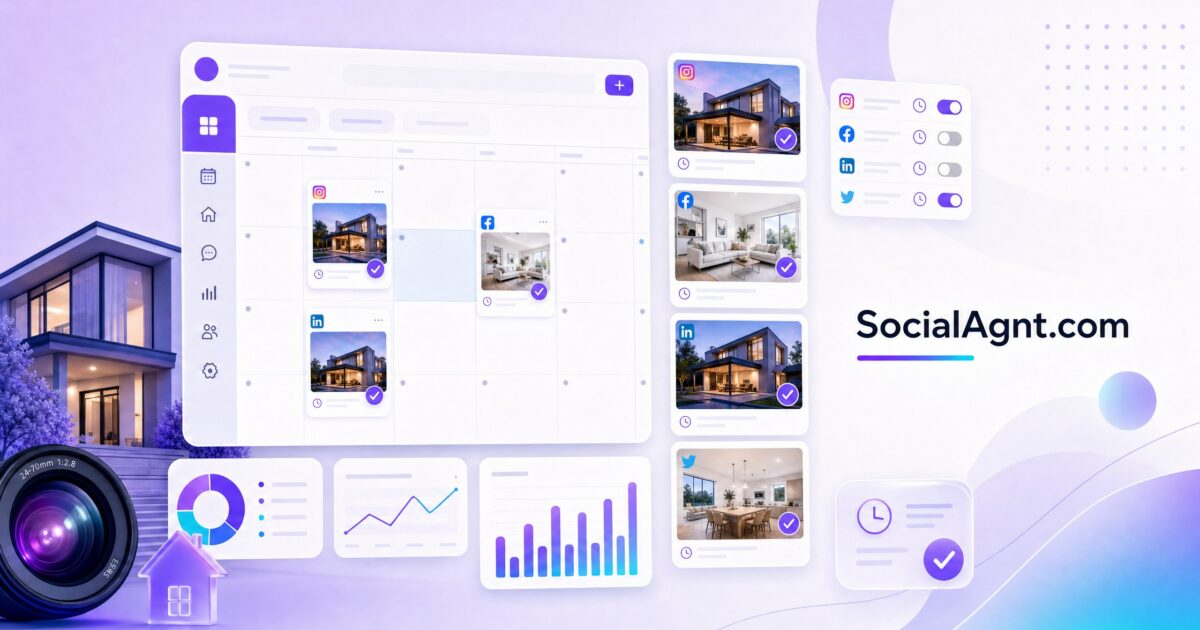
Key Takeaways: Managing social media as a real estate agent without a scheduling tool is like showing homes without a car — technically possible, but painfully inefficient and a guaranteed way to fall behind the competition. The right scheduling tool eliminates the daily scramble of logging into multiple platforms, crafting posts on the fly, and trying to remember whether you posted anything this week. Instead, you batch-create content in focused sessions, load it into your scheduler, and let the tool handle the publishing while you focus on what actually generates revenue: meeting clients, showing properties, and closing deals. The best tools for real estate agents in 2026 range from budget-friendly options like Buffer at $6 per month per channel to enterprise-grade platforms like Sprout Social that offer advanced analytics and lead identification. Real estate-specific tools like Apaya and Rezora take automation further by pulling data directly from MLS listings and generating posts automatically when you get a new listing, change a price, or close a sale. The ideal tool for you depends on three factors: whether you are a solo agent or part of a team, how many platforms you are active on, and whether you need basic scheduling or full marketing automation. This guide compares the top 12 scheduling tools across pricing, features, platform support, and real estate-specific capabilities to help you choose the one that fits your business.
Why Every Real Estate Agent Needs a Social Media Scheduling Tool
The math behind social media in real estate is simple and unforgiving. To maintain visibility on Instagram, Facebook, LinkedIn, and TikTok, you need to post a minimum of three to five times per week on each platform. That is 12 to 20 posts per week, or roughly 50 to 80 posts per month. Without a scheduling tool, each post requires you to stop whatever you are doing, open the platform, create content, write a caption, add hashtags, and publish — a process that takes 15 to 30 minutes per post when you factor in creative decisions and platform-specific formatting.
At 20 posts per week and 20 minutes per post, you are spending nearly seven hours per week on social media publishing alone. That is almost a full working day every week that could be spent on revenue-generating activities. A scheduling tool compresses that time dramatically by enabling batch creation — you sit down once or twice per week, create all your content in a focused session, and schedule everything in advance. What used to take seven hours becomes a two-hour block, and the rest of your week is free.
But time savings are only part of the equation. Scheduling tools solve three other critical problems for real estate agents. First, they enforce consistency. The number one reason agents fail at social media is inconsistent posting — they go strong for two weeks, get busy with a transaction, disappear for a month, and lose all the momentum they built. A scheduler with pre-loaded content keeps publishing whether you are at a closing table, on vacation, or dealing with an inspection crisis. Second, they optimize timing. Most tools analyze when your audience is most active and automatically publish at peak engagement windows — something you cannot consistently do when posting manually. Third, they provide analytics that tell you what is working and what is not, allowing you to refine your strategy based on data rather than guesswork.
What to Look for in a Real Estate Social Media Scheduling Tool
Not all scheduling tools are built the same, and what works for a lifestyle blogger or a retail brand may not serve the unique needs of a real estate professional. Before comparing specific tools, here are the features that matter most for agents.
Platform Coverage
At minimum, your tool should support Facebook, Instagram, LinkedIn, and TikTok — the four platforms where real estate agents see the most return. Some tools also support X (formerly Twitter), Pinterest, YouTube, and Google Business Profile. The more platforms a tool covers, the fewer workarounds you need. Pay attention to the depth of support, though. Some tools technically “support” TikTok but only allow scheduling, not direct publishing, which means you still have to manually post from your phone when the notification comes through.
Visual Content Planning
Real estate is a visual business. Your Instagram feed, Facebook page, and TikTok profile are essentially visual portfolios, and the way your content looks when viewed as a grid matters for first impressions. The best scheduling tools include visual planning features that let you preview how your feed will look before anything goes live. You can rearrange posts, ensure you are alternating between property photos, educational graphics, and lifestyle images, and maintain the visual consistency that makes your profile look professional.
MLS and Listing Integration
This is the feature that separates real estate-specific tools from general-purpose schedulers. Tools with MLS integration can automatically generate social media posts when you get a new listing, when a price changes, when you schedule an open house, or when a property sells. Instead of manually creating a “Just Listed” post every time you take on a new property, the tool pulls the listing data — photos, price, bedrooms, bathrooms, square footage, address — and generates a ready-to-publish post that you can review, edit, and approve.
Team and Brokerage Features
If you work on a team, run a brokerage, or have a virtual assistant managing your social media, you need multi-user access with role-based permissions. Look for tools that support approval workflows — where a team member or VA creates content and you review and approve it before it goes live. This ensures quality control without requiring you to do all the work yourself.
Analytics and Lead Tracking
Basic analytics — likes, comments, shares, reach — are standard across most tools. But the analytics that actually matter for real estate agents go deeper: which posts drive profile visits, which links get clicked, which content types generate DMs and inquiries, and how your engagement trends over time. Some advanced tools even identify potential leads based on engagement patterns, flagging users who consistently interact with your property content as possible buyers.
Content Library and Templates
Creating content from scratch every time is exhausting. Tools with built-in content libraries or template systems let you save frequently used formats, reuse proven captions with minor modifications, and access pre-designed templates for common real estate posts — just listed announcements, open house promotions, market updates, testimonials, and holiday greetings. Some tools even provide AI-powered caption generation that drafts text based on your listing data or chosen topic.
While scheduling tools handle the publishing side, SocialAgnt tackles the even bigger challenge: creating the content itself. Using AI trained specifically for real estate, SocialAgnt generates platform-optimized posts, captions, hashtags, and content calendars tailored to your market, your brand voice, and your listing inventory — so you spend less time staring at a blank screen and more time loading your scheduler with high-quality content.
The 12 Best Social Media Scheduling Tools for Real Estate Agents in 2026
The following comparison covers the tools most widely used and recommended by real estate professionals, organized from budget-friendly options to full-featured enterprise solutions.
1. Buffer — Best for Solo Agents on a Budget
Buffer has built its reputation on simplicity. The interface is clean, intuitive, and requires almost no learning curve — you can be scheduling posts within minutes of signing up. For solo agents who just need a straightforward way to schedule content across a few platforms without being overwhelmed by features they will never use, Buffer is hard to beat.
The Essentials plan starts at $6 per month per social channel, making it one of the most affordable options on the market. If you are active on four platforms, that is $24 per month for full scheduling capabilities. The Team plan at $12 per month per channel adds collaboration features and additional analytics. Buffer supports Facebook, Instagram, LinkedIn, TikTok, X, Pinterest, and Google Business Profile.
Where Buffer falls short for real estate agents is in its lack of industry-specific features. There is no MLS integration, no listing automation, and no real estate templates. The analytics are functional but basic compared to enterprise tools. Buffer is the right choice if you already have a content creation workflow and simply need a reliable, affordable tool to schedule and publish.
2. Nuelink — Best Budget Automation Option
Starting at $18 per month with a 14-day free trial, Nuelink offers more automation features at a lower price point than most competitors. Its standout capability for real estate agents is automated posting for property listings — it can pull listings from your website and automatically generate social media posts, reducing the manual work of promoting each property individually.
Nuelink supports Facebook, Instagram, TikTok, LinkedIn, and X. The automation features extend beyond listings to include content recycling, where evergreen posts are automatically re-shared at optimal intervals. For agents who want more than basic scheduling but are not ready to invest in a full enterprise solution, Nuelink hits a useful middle ground.
3. Apaya — Best for AI-Powered Listing Automation
At $39 per month, Apaya is purpose-built for real estate professionals. Its core feature is the ability to read your listing pages and automatically generate social media posts from the property data — photos, descriptions, pricing, and features are pulled directly from your listing and transformed into platform-ready content. The AI writes captions based on the listing data, and an auto-publish workflow with review and approval ensures nothing goes live without your sign-off.
Apaya supports Instagram, Facebook, LinkedIn, and X. The tool is particularly effective for agents who handle a high volume of listings and need to promote each one across multiple platforms without spending hours creating individual posts. The limitation is that Apaya is focused specifically on listing promotion — it does not offer the broader content scheduling, analytics, or engagement tools that general-purpose platforms provide. For agents who need a complete social media management solution, Apaya works best as a complement to a broader scheduling tool rather than a replacement.
4. Later — Best for Visual-First Content Planning
Later was originally built for Instagram and it shows — the visual planning tools are among the best in the industry. The drag-and-drop calendar lets you preview exactly how your Instagram grid will look before posting, and the media library keeps all your property photos, graphics, and videos organized and accessible. For agents who prioritize the visual aesthetics of their social media presence, Later’s planning interface is unmatched.
The platform has expanded beyond Instagram to support Facebook, TikTok, LinkedIn, Pinterest, and X, though the Instagram experience remains the strongest. Later’s analytics provide solid engagement data and optimal posting time recommendations. The main limitations are a less robust feature set for Facebook and LinkedIn compared to dedicated multi-platform tools, and the absence of unified inbox management for responding to messages and comments across platforms.
5. Post Planner — Best All-in-One for Real Estate Focus
Post Planner markets itself as a social media scheduler designed specifically with real estate agents in mind. The platform combines scheduling across all major social channels with content discovery features that help you find and curate relevant content to share alongside your original posts. Multi-account management makes it practical for agents who manage personal and business accounts, or for team leaders who oversee multiple agent accounts.
The content suggestion engine is particularly useful for agents who struggle with posting consistency — it recommends content topics and formats based on what performs well in the real estate niche, helping fill gaps in your content calendar without requiring you to brainstorm from scratch every time.
6. Sendible — Best for Professional Feed Aesthetics
Sendible’s visual content scheduling tools show you exactly how your feed will appear before anything publishes, making it ideal for agents who want to maintain a cohesive, professional-looking social media presence. The platform supports mixing property photos with market updates, testimonials, and educational content while keeping the overall visual flow consistent.
The content calendar view provides a clear overview of what is scheduled across all platforms, and the collaboration features support team workflows with approval chains. Sendible also offers a white-label option that brokerages can rebrand for their agents, making it a popular choice for larger real estate organizations.
7. SocialBee — Best for Content Categorization and Recycling
SocialBee’s unique approach organizes your content into categories — listing announcements, market updates, educational tips, testimonials, community events — and automatically rotates through them to maintain a balanced content mix. You define the categories and the posting ratio, and SocialBee ensures your feed stays varied without you manually selecting what type of content to post each day.
The evergreen content recycling feature is particularly valuable for real estate agents. Educational posts about the buying process, neighborhood guides, and general market advice do not expire — SocialBee automatically reshares them at intervals you define, ensuring your best content continues working long after you first created it. The platform supports all major social networks and offers Canva integration for in-app design.
8. Hootsuite — Best for Teams and Brokerages
Hootsuite is one of the oldest and most established social media management platforms, and its strength lies in its comprehensive feature set and team collaboration capabilities. The platform supports Facebook, Instagram, LinkedIn, X, TikTok, Pinterest, and YouTube, with bulk scheduling that lets you upload and schedule dozens of posts at once — useful for loading an entire month of content in a single session.
The social inbox aggregates messages and comments from all connected platforms into a single dashboard, so you never miss a lead inquiry on Facebook while you are checking Instagram DMs. Analytics are detailed and customizable, with the ability to create reports that track the metrics most relevant to your real estate business. At $199 to $399 per month per seat, Hootsuite is priced for teams and brokerages rather than solo agents. If you manage multiple agents’ accounts or need enterprise-grade features, it delivers significant value. For individual agents, the cost is difficult to justify when more affordable alternatives cover the essential functionality.
9. Sprout Social — Best for Analytics and Lead Identification
Sprout Social offers the deepest analytics of any tool on this list, with detailed reporting on engagement trends, audience demographics, optimal posting times, and content performance by type. For data-driven agents who want to continuously optimize their social media strategy based on evidence, Sprout Social provides the insights to do so.
The platform’s specialized lead generation tool is particularly noteworthy for real estate — it identifies potential clients based on their engagement patterns with your content, flagging users who consistently interact with your property posts as possible leads worth pursuing. The unified social inbox manages all conversations across platforms, and team collaboration features include approval workflows and task assignment. Priced at $199 to $399 per month per seat, Sprout Social is an investment. But for agents or teams generating significant business from social media, the analytics and lead identification capabilities can directly impact revenue.
10. Rezora — Best for Automatic MLS Content
Rezora is built specifically for real estate marketing, and its MLS integration is its defining feature. Connect your MLS account and Rezora automatically generates social media content based on your listing activity — new listings, price changes, open houses, and sold properties all trigger pre-formatted posts that you can review and approve. This eliminates the most repetitive content creation task in real estate social media: manually creating listing promotion posts.
Beyond social media scheduling, Rezora also handles email marketing, drip campaigns, and digital ads, making it a broader marketing automation platform rather than just a social scheduler. For agents who want a single platform that manages both social media and email marketing with MLS data at the center, Rezora provides a unified solution. The limitation is that non-listing content — educational posts, community spotlights, market updates — still needs to be created and scheduled manually or through a complementary tool.
11. Loomly — Best for Content Collaboration Workflows
Loomly excels at the content creation and approval process. Its workflow system guides you through creating posts with step-by-step prompts: choose the content type, write the copy, add media, preview the post on each platform, and submit for approval. For agents working with virtual assistants, marketing coordinators, or team members, this structured workflow ensures consistent quality across every post.
The platform also provides post ideas and content inspiration based on trending topics, holidays, and social media best practices — useful for filling gaps in your content calendar. Analytics track performance across all connected platforms with clear visualizations that make it easy to identify trends. Loomly supports all major platforms and offers a calendar view that provides a clean overview of your scheduled content.
12. CoSchedule — Best for Multi-Channel Marketing Coordination
CoSchedule goes beyond social media scheduling to serve as a marketing calendar that coordinates social posts, blog content, email campaigns, and other marketing activities in a single view. For agents or brokerages that maintain a blog, send email newsletters, and manage social media simultaneously, having everything visible on one calendar prevents conflicts, ensures consistent messaging, and makes it easier to coordinate multi-channel campaigns around events like open houses or new listings.
The platform supports team collaboration with approval workflows, task assignment, and commenting. Integration with popular blogging platforms means you can schedule a blog post and its corresponding social media promotion in the same workflow. CoSchedule is overkill for agents who only need social scheduling, but for those running a full content marketing operation, the unified calendar is a significant organizational advantage.
How to Choose the Right Tool for Your Situation
With twelve options on the table, the decision comes down to your specific circumstances. Here is a framework for narrowing the field.
If You Are a Solo Agent Starting Out
Begin with Buffer or Nuelink. Both offer affordable entry points that let you experience the benefits of scheduled content without a significant financial commitment. Buffer is the simpler option — ideal if you already know what content you want to create and just need a publishing tool. Nuelink adds more automation, making it better if you want the tool to do more of the heavy lifting.
At this stage, your priority should be establishing a consistent posting rhythm. Any tool that helps you achieve that is the right tool. You can always upgrade to a more feature-rich platform once your social media strategy matures and your needs become clearer.
If You Are a Solo Agent With an Established Presence
Look at Later for visual-heavy strategies centered on Instagram, Post Planner for a real estate-focused all-in-one solution, or SocialBee for content categorization and recycling. Each of these tools adds a layer of strategic capability beyond basic scheduling — visual planning, content suggestions, or automated content rotation — that helps you work smarter as your posting volume and audience grow.
If You Handle a High Volume of Listings
Apaya and Rezora should be at the top of your list. Both automate the most time-consuming part of real estate social media — creating and publishing listing content. Apaya excels at AI-powered caption generation from listing data, while Rezora provides deeper MLS integration with automatic content triggers. Consider pairing either one with a general-purpose scheduler to handle your non-listing content (educational posts, community content, market updates).
If You Run a Team or Brokerage
Hootsuite, Sprout Social, or Loomly provide the team collaboration, approval workflows, and multi-account management that a growing organization needs. Hootsuite offers the most comprehensive feature set, Sprout Social leads in analytics and lead identification, and Loomly provides the most structured content creation workflow. Your choice depends on whether your priority is feature depth, data insights, or process management.
If You Want Everything in One Platform
Rezora (social plus email plus MLS) and CoSchedule (social plus blog plus email coordination) are the closest to all-in-one marketing platforms. Both reduce the number of tools in your tech stack, which simplifies your workflow and reduces costs if you were previously paying for separate social, email, and content tools. The trade-off is that all-in-one tools rarely match the depth of best-in-breed tools in any single category.
A scheduling tool publishes your content, but it does not create it. That is where most agents get stuck — the scheduling is easy, but generating a steady stream of quality posts is the real challenge. SocialAgnt fills that gap by using real estate-trained AI to generate content ideas, write platform-specific captions, suggest hashtags, and build content calendars aligned with your market and brand. Use SocialAgnt to create your content, then load it into your preferred scheduler — the combination gives you both the creation engine and the publishing machine.
Setting Up Your Scheduling Tool for Maximum Efficiency
Choosing a tool is step one. Setting it up correctly is what determines whether it saves you five hours per week or collects dust after the first month.
Connect All Your Platforms on Day One
During setup, connect every social media account you plan to use. Most tools walk you through this process with a simple authorization flow for each platform. Do not skip platforms you use less frequently — the point of a scheduling tool is to manage everything from one place. If LinkedIn is connected but TikTok is not, you will still be logging into TikTok manually, which defeats the purpose.
Build Your Content Categories
Before you start scheduling, define your content categories. A balanced real estate content mix typically includes listing promotions (20 to 25 percent of posts), educational content about the buying and selling process (25 to 30 percent), local community and neighborhood content (15 to 20 percent), market updates and industry news (10 to 15 percent), and personal or behind-the-scenes content (10 to 15 percent). Setting up these categories in your tool — whether through labels, folders, or content types — ensures your feed stays varied and your audience gets a well-rounded view of your expertise.
Create Posting Templates for Recurring Content
Certain types of real estate posts follow the same format every time. A “Just Listed” announcement always includes the property photo, address, key features, price, and a call to action to schedule a showing. A weekly market update always includes a few data points and your interpretation. Create templates for these recurring post types so that filling in the details is all you need to do when the situation arises — no designing from scratch each time.
Establish Your Posting Schedule
Decide how many times per week you will post on each platform and at what times. Most scheduling tools offer optimal timing recommendations based on when your audience is most active. A practical starting schedule for a solo real estate agent might look like this: Instagram five times per week (Monday through Friday at the recommended optimal time), Facebook four times per week, LinkedIn three times per week (weekday mornings), and TikTok three to five times per week. Set these as recurring time slots in your tool so that when you create content, you simply assign it to the next available slot.
Batch Your Content Creation
The power of a scheduling tool is fully realized when you batch your content creation. Set aside a two-hour block once per week — or a half-day block every two weeks — to create all your upcoming content. Write captions, select images, create graphics, and load everything into your scheduler. By the end of the session, your social media is handled for the next one to two weeks, and you can focus entirely on client work until the next batch session.
Measuring ROI: Is Your Scheduling Tool Worth the Investment?
Any tool is only as valuable as the results it produces. Here is how to determine whether your scheduling tool is delivering a return on your investment.
Track Time Savings
Before implementing a scheduling tool, estimate how many hours per week you spend on social media publishing. After one month of using the tool, estimate the time again. The difference is your time savings. Multiply that by your effective hourly rate (what you earn per hour when working on revenue-generating activities) to calculate the monetary value of the time recovered. For most agents, this calculation alone justifies the tool’s cost several times over.
Monitor Consistency Metrics
Compare your posting frequency before and after implementing the tool. If you were posting sporadically — three times one week, zero the next, five times the week after — and now you are posting consistently four to five times per week, the tool is doing its job. Consistency alone improves reach and engagement on every platform because the algorithms reward regular activity.
Connect Social Activity to Business Results
This is the metric that ultimately matters. Track how many leads mention finding you through social media. Note which posts generate the most profile visits, link clicks, and DMs. Over time, connect those interactions to consultations, listings, and closed deals. A scheduling tool that costs $39 per month and contributes to even one additional transaction per year has an ROI that makes the investment trivial.
Evaluate Feature Usage
After three months, honestly assess which features you actually use. If you are paying for an enterprise tool but only using the scheduling function, you are overpaying. Conversely, if you find yourself wishing for features your current tool does not offer — better analytics, team collaboration, MLS integration — it may be time to upgrade. The right tool is the one that matches your current needs, not the one with the longest feature list.
Common Mistakes to Avoid With Social Media Scheduling
Scheduling tools are powerful, but they can create problems if used carelessly. Avoid these common mistakes that undermine the effectiveness of your social media strategy.
Set It and Completely Forget It
Scheduling is not the same as automation. Your content is scheduled, but your engagement should still be live. Check your platforms daily for comments, DMs, and mentions. Respond to questions promptly. Engage with other creators’ content. The scheduling tool handles the publishing, but the relationship-building still requires your personal attention.
Ignoring Platform-Specific Formatting
A caption that works perfectly on Instagram may look awkward on LinkedIn and fail completely on TikTok. When creating content for multiple platforms, take the extra minute to customize each version. Adjust the tone (more professional for LinkedIn, more casual for TikTok), format the caption for each platform’s character limits and display conventions, and select the appropriate hashtag strategy for each network.
Over-Scheduling Without Quality Control
The convenience of scheduling can lead to a quantity-over-quality mindset where you fill every time slot regardless of whether the content meets your standards. Every post that goes out under your name represents your brand. A smaller number of high-quality, valuable posts will always outperform a high volume of mediocre content. Use the time your scheduling tool saves to create better content, not just more content.
Not Reviewing Scheduled Content Before Publication
Market conditions change. A cheerful listing post scheduled for next Tuesday feels tone-deaf if a local crisis occurs that day. Interest rate announcements can make a “rates are stable” post instantly outdated. Build a quick daily review into your routine — scan what is scheduled to publish today and tomorrow, and make adjustments if anything no longer fits the current context.
The Future of Social Media Scheduling for Real Estate
The scheduling tool landscape is evolving rapidly, driven largely by artificial intelligence. Current AI features — caption generation, optimal timing suggestions, content recommendations — are just the beginning. The next generation of tools will likely offer predictive analytics that forecast which content types will perform best in your specific market, automatic content creation that generates complete posts from your listing data and market trends, and personalization engines that create variations of each post optimized for different audience segments.
For real estate agents, the trajectory is clear: the tools are getting smarter, the automation is getting deeper, and the time required to maintain a strong social media presence is decreasing. The agents who adopt these tools now — even at their current capability level — will be positioned to take advantage of each advancement as it arrives. Those who wait will find themselves trying to catch up with competitors who have already built their content library, their audience, and their publishing systems.
The best time to start scheduling your social media content was a year ago. The second-best time is today. Pick a tool that fits your budget and your needs, load it with quality content, and let it do the heavy lifting while you focus on building relationships and closing deals. That is the real advantage of a scheduling tool — not just saving time, but reallocating that time to the activities that directly generate income.
Ready to save 5+ hours per week on social media?
SocialAgnt helps real estate agents schedule posts, create AI content, and grow their brand across 7 platforms. Try it free for 14 days.
