
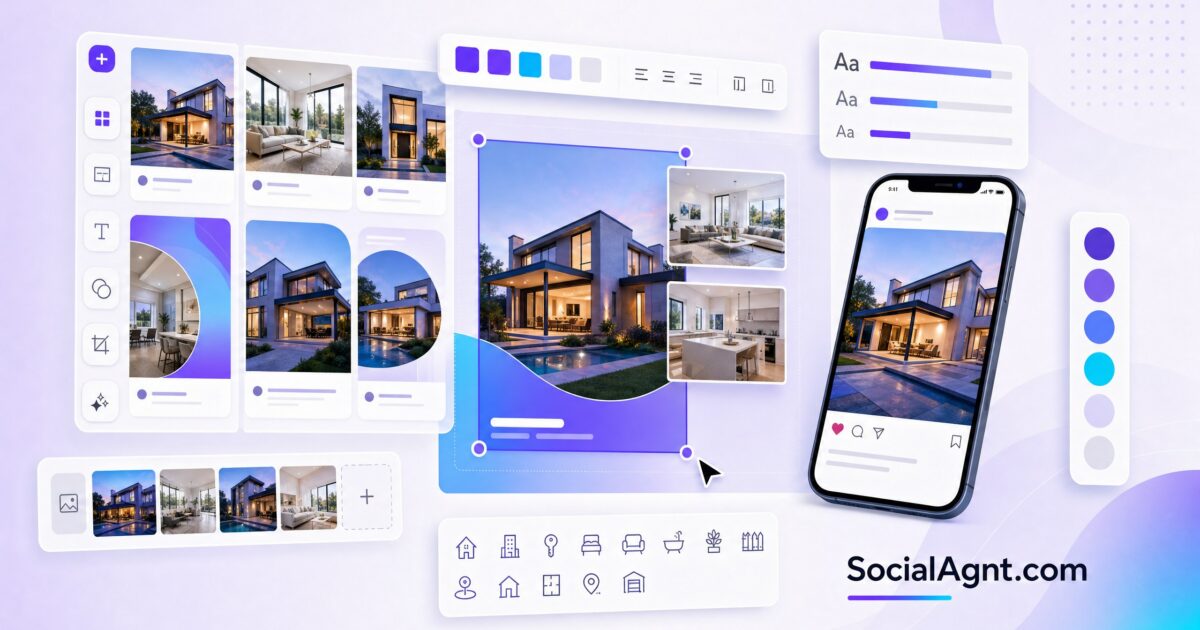
Key Takeaways: Visual quality determines whether your social media content gets attention or gets scrolled past. In a feed crowded with professional photography, polished ads, and eye-catching graphics, real estate agents who post low-quality visuals become invisible — regardless of how good their captions or market knowledge might be. But you don’t need a graphic design degree or an expensive designer to create professional social media graphics. Today’s design tools — particularly Canva, which has become the industry standard for real estate agents — make it possible to produce stunning, branded graphics in minutes. This guide covers everything you need to know about creating real estate social media graphics: the design principles that make content stop the scroll, the essential graphic types every agent needs, step-by-step creation workflows, free and affordable tools and templates, and strategies for maintaining visual consistency across all your platforms.
Why Visual Quality Determines Social Media Success
Social media is a visual-first environment. Users make split-second decisions about whether to engage with a post based almost entirely on the visual — before they ever read your caption. Research consistently shows that posts with high-quality, visually distinct graphics receive significantly more engagement than text-only posts or posts with low-quality images. For real estate agents specifically, visual quality also signals professional quality. A prospect evaluating your social media presence draws direct conclusions: if your graphics look amateur, they assume your marketing services might be as well. If your graphics look polished and branded, they assume you’ll bring that same level of professionalism to marketing their home.
Visual consistency matters as much as visual quality. When someone lands on your profile and scrolls through your feed, the visual impression should be cohesive — a recognizable brand that ties all your content together through consistent colors, fonts, layouts, and style. This cohesion communicates professionalism, intentionality, and brand awareness. It signals that you’ve invested in your presentation — and by extension, that you’ll invest in presenting their property with the same care.
The good news: creating professional graphics has never been more accessible. Tools like Canva offer drag-and-drop design interfaces with real estate-specific templates, brand management features, and AI-powered design assistance that allow anyone — regardless of design experience — to produce visually stunning social media content in minutes rather than hours.
Essential Graphic Types for Real Estate Social Media
Market Update Graphics
Market data presented as visually appealing graphics — stat cards, comparison charts, trend infographics — performs dramatically better than market data shared as plain text. Create a consistent template for your weekly or monthly market updates that prominently displays key statistics (median price, days on market, inventory levels) with directional indicators (arrows, color coding) that make trends immediately visible at a glance.
Design your market update templates with clear hierarchy: the most important number should be the largest visual element, supported by context text at a smaller size. Use your brand colors consistently so viewers instantly recognize your market updates in their feed. Once you create a template that works, simply update the numbers each week or month — reducing your creation time to just a few minutes per update.
Just Listed and Just Sold Graphics
Create branded overlays and templates for your listing announcements and sold celebrations. A “Just Listed” graphic template includes your brand colors, a consistent layout for property photos, space for key details (price, beds, baths, location), and your contact information or logo. Having a template ready means you can produce a professional listing announcement in under five minutes whenever a new property hits the market.
For sold graphics, design templates that include space for a “SOLD” overlay on the property photo, transaction highlights (sale price, days on market, above or below asking), and your celebratory message. These templates should be instantly recognizable as yours — a follower scrolling their feed should know it’s your post before they even read the text.
Educational Content Graphics
Transform educational content into visually engaging formats: infographics that explain the buying process step by step, quote cards featuring real estate tips, comparison graphics showing costs and considerations, timeline graphics that illustrate transaction phases, and checklist graphics that followers can screenshot and reference. Educational graphics are among the most saved content types on Instagram because they serve as visual reference tools that followers return to when they need the information.
Testimonial Graphics
Design a branded template for client testimonials — a clean layout with ample space for the quote text, the client’s name and location, and a professional background (either a solid color, a subtle pattern, or a softly blurred property photo). Testimonial graphics should feel elevated and professional, giving weight and visual importance to your client’s words.
Quote and Motivation Graphics
While motivational quotes shouldn’t dominate your feed, an occasional branded quote graphic — featuring an insight about homeownership, a real estate philosophy, or an inspiring thought about community — provides visual variety and engages a different emotional response than your other content. Create these graphics with your brand fonts and colors so they feel intentional rather than generic.
Story Templates
Design a set of Story templates that you can quickly customize for daily use: a “New Listing” Story template, a “Poll” template, a “Q&A” template, an “Open House” announcement template, and a “Testimonial” Story template. Having these ready to go eliminates the friction of creating Stories from scratch every day and ensures your Stories maintain visual consistency with your feed content.
SocialAgnt includes professional real estate social media templates — just listed, just sold, market updates, testimonials, and more — designed for every platform. Pair with AI captions and schedule across Instagram, Facebook, TikTok, LinkedIn, YouTube, and Google Business Profile. Start your free account today.
Design Principles for Non-Designers
Hierarchy and Readability
Every graphic should have a clear visual hierarchy — a primary element that draws the eye first (usually the headline or key number), secondary elements that provide supporting information, and tertiary elements (logo, fine print) that are present but not competing for attention. Establish hierarchy through size contrast (make the most important element significantly larger), color contrast (use your boldest color for the primary element), and spacing (give the primary element breathing room so it doesn’t get lost).
Readability is non-negotiable — especially since most social media content is viewed on mobile phones. Use fonts that are legible at small sizes. Ensure text contrasts sufficiently against its background (dark text on light backgrounds, or light text on dark backgrounds). Never place text over busy photo areas without a semi-transparent overlay to ensure readability. If someone can’t read your graphic on a phone screen at arm’s length, the design needs adjustment.
Brand Consistency
Choose a limited color palette (two to three primary colors plus a neutral), one to two fonts, and a consistent layout style — then use them across everything. Brand consistency means that someone could see any graphic in your feed without your name on it and still know it’s yours based on the visual style alone. This level of recognition builds over time and creates a professional impression that generic, constantly-changing graphics never achieve.
Canva’s Brand Kit feature allows you to save your brand colors, fonts, and logos so they’re accessible in every design you create. Upload your brand assets once, and every new graphic starts with your visual identity built in. This feature alone saves hours of design time and prevents the inconsistency that comes from manually matching colors and fonts across dozens of graphics.
White Space and Simplicity
Amateur designs are almost always cluttered — too much text, too many elements, competing visuals fighting for attention. Professional designs use white space (empty space) deliberately to create breathing room, draw focus to key elements, and produce a clean, elevated impression. When in doubt, remove elements rather than adding them. A graphic with one strong visual element, one headline, and generous spacing will always outperform a graphic trying to communicate five things simultaneously.
Photo Quality
When your graphics incorporate property photos or personal photos, image quality is paramount. Use professional listing photography whenever available. For personal photos, ensure adequate lighting (natural light is always best), clean backgrounds, and sharp focus. Never stretch, distort, or use low-resolution images in your graphics — a single pixelated or poorly lit photo undermines the professionalism of the entire design.
Tools for Creating Real Estate Social Media Graphics
Canva (Free and Pro)
Canva has become the default design tool for real estate social media because it combines professional-quality templates with an intuitive drag-and-drop interface that requires zero design experience. The free version includes thousands of templates, basic brand management, and access to millions of stock photos and design elements. Canva Pro adds Brand Kit, background removal, premium templates, a content planner, and AI-powered design features including Magic Resize (which reformats a design for different platform dimensions instantly).
For real estate agents specifically, Canva offers template collections designed for the industry: listing announcements, sold celebrations, market updates, open house promotions, and agent branding. These templates provide a professional starting point that you customize with your photos, colors, and information — cutting design time from hours to minutes.
Adobe Express
Adobe Express (formerly Adobe Spark) offers similar functionality to Canva with a slightly different interface and template library. It integrates with Adobe’s broader creative ecosystem and offers professional-quality templates with brand management features. The free tier is robust enough for most agents’ needs, with premium features available through an Adobe subscription.
Platform-Native Design Tools
Instagram, Facebook, and TikTok all include native design tools within their Story and post creation interfaces — text overlays, stickers, filters, and drawing tools. These native tools are useful for quick, informal content (Stories, behind-the-scenes posts) but lack the precision and brand consistency needed for polished feed content. Use native tools for casual, spontaneous content and dedicated design tools (Canva, Adobe Express) for planned, branded graphics.
Template Marketplaces
If you want design templates beyond what free tools offer, template marketplaces like Etsy, Creative Market, and industry-specific providers sell real estate social media template bundles — often including 50 to 200 pre-designed templates covering every content type, customizable in Canva or Adobe Express. These bundles typically cost $30 to $100 and provide months of design starting points, making them an excellent investment for agents who want professional visuals without hiring a designer.
Creating a Visual Content System
Template Library
Build a template library that covers your recurring content types. At minimum, create templates for: just listed announcements, just sold celebrations, market update stat cards, client testimonials, educational tips, event promotions (open houses), and your Story formats. Having these templates ready means you never start from a blank canvas — you start from a professional framework that you customize with new information each time.
Batch Design Sessions
Rather than creating one graphic at a time throughout the week, batch your graphic design into a single session. Once per week or once per month, sit down and create all the graphics you’ll need for the upcoming period. This batch approach is faster (your brain stays in “design mode” rather than context-switching), produces more consistent results (you’re designing everything together so the visual cohesion is natural), and reduces daily friction (your graphics are ready to post when scheduled).
Sizing for Each Platform
Different platforms require different image dimensions: Instagram feed posts use 1080×1080 (square) or 1080×1350 (portrait, which takes up more screen space), Instagram Stories and Reels use 1080×1920 (9:16 vertical), Facebook posts use 1200×630 (landscape), LinkedIn posts use 1200×1200 (square) or 1200×627 (landscape), and TikTok uses 1080×1920 (9:16 vertical). Create your core design in one size, then resize for other platforms using Canva’s Magic Resize or by manually adjusting the layout.
Common Design Mistakes to Avoid
Too many fonts. Stick to one to two fonts maximum across all your graphics. Using more creates visual chaos and undermines brand consistency.
Low contrast text. If your text isn’t easily readable against its background, the graphic fails its primary purpose. Always ensure sufficient contrast between text and background colors.
Inconsistent branding. Using different colors, fonts, or styles across posts makes your feed look disjointed and unprofessional. Lock in your brand elements and use them consistently.
Cramming too much information. A social media graphic is not a flyer. It should communicate one key idea or piece of information, supported by your caption for details. When you try to fit everything into the graphic, readability and impact both suffer.
Ignoring mobile viewing. Over 90% of social media consumption happens on mobile phones. Design for small screens — test every graphic’s readability on your phone before posting.
Professional social media graphics are the visual foundation of a credible real estate brand online. They signal quality, build recognition, and create the pattern-interrupt that stops the scroll in a crowded feed. Use the tools and principles in this guide to elevate your visual content, and let SocialAgnt provide professional real estate templates, AI-powered content creation, and multi-platform scheduling that keeps your brand looking polished across every channel.
SocialAgnt includes professional real estate social media templates for every content type — customizable, brand-consistent, and optimized for every platform. Pair with AI captions and scheduling across Instagram, Facebook, TikTok, LinkedIn, YouTube, and Google Business Profile. Start free today.
Ready to save 5+ hours per week on social media?
SocialAgnt helps real estate agents schedule posts, create AI content, and grow their brand across 7 platforms. Try it free for 14 days.
