
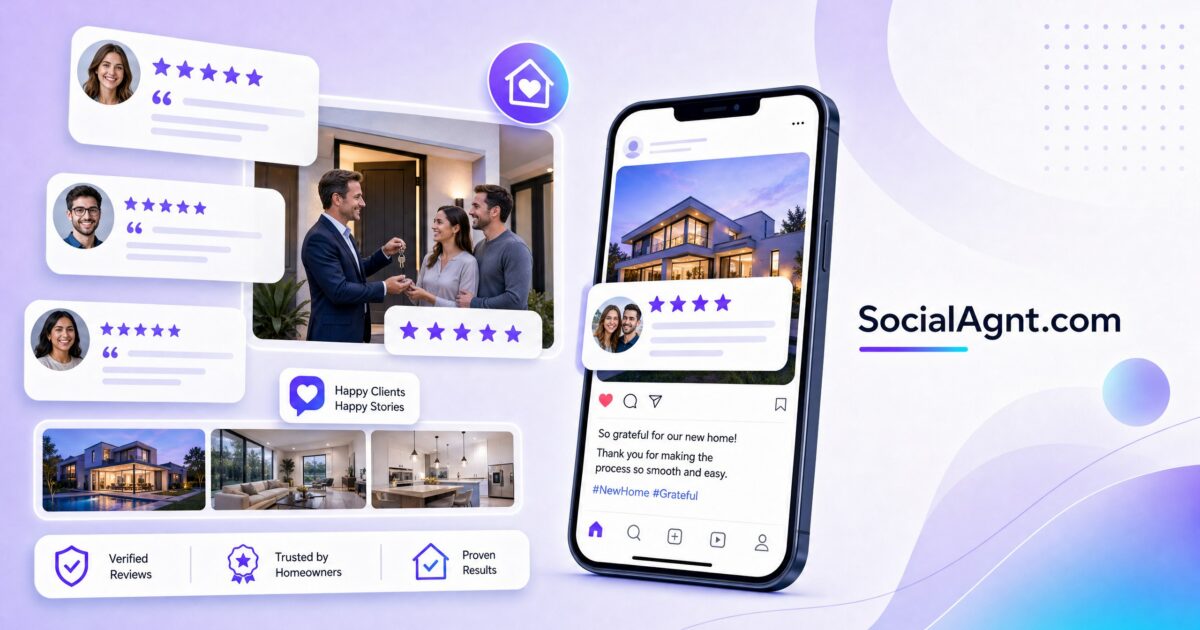
Key Takeaways: Client testimonials are the most persuasive content you can post on social media — more convincing than market data, listing photos, or educational tips. When a past client publicly says “This agent was amazing,” it carries more weight than anything you could say about yourself. Yet most real estate agents either don’t collect testimonials, don’t know how to present them effectively on social media, or post them so infrequently that they barely register with their audience. This guide shows you how to systematically collect powerful testimonials, transform them into engaging social media content across every platform, and build a consistent testimonial posting strategy that turns your clients’ words into your most effective lead generation tool.
Why Testimonials Outperform Every Other Content Type
Social proof is one of the most well-documented principles in human psychology. When people are uncertain about a decision — and choosing a real estate agent is an inherently uncertain decision — they look to the experiences of others for guidance. A testimonial from a satisfied client reduces the perceived risk of hiring you. It answers the prospect’s unspoken question: “Will this agent deliver for me?” with evidence from someone who was once in the same position.
Testimonials are particularly powerful on social media because they feel organic and authentic in a way that advertising never can. A polished ad says “I’m a great agent.” A client testimonial says “This person changed my life.” The difference in persuasive power is enormous. Studies consistently show that consumers trust peer recommendations more than any form of brand-created content — and a client testimonial is essentially a peer recommendation delivered at scale through your social media channels.
The compounding effect of regular testimonial posting is significant. An agent who posts one testimonial per week accumulates 52 pieces of social proof per year. A prospect who discovers your profile and scrolls through dozens of genuine client endorsements forms a very different impression than one who finds a profile with zero client feedback. Over time, your testimonial library becomes an irrefutable body of evidence that you deliver results and treat clients well.
How to Collect Testimonials That Make Great Social Media Content
Timing Your Ask
The best time to request a testimonial is at the emotional peak of the transaction — typically at closing or within 48 hours after. At this moment, clients are experiencing the euphoria of completing a major life milestone, their gratitude toward you is at its highest, and the details of the experience are fresh in their minds. Wait too long and the emotional energy fades, the details blur, and the probability of getting a response drops significantly.
Prepare your ask in advance. At the closing table, after congratulations and photos, say something like: “I would love to share your experience on my social media to help other buyers and sellers who are going through the same process. Would you be comfortable sharing a few sentences about working together — either in writing or as a quick video?” Most clients will agree enthusiastically in this moment. Have a simple process ready for them to follow through: a text message with a link, a quick video filmed on the spot, or a simple email template they can respond to.
Asking the Right Questions
Generic requests produce generic testimonials. “Can you leave me a review?” often results in “Great agent, highly recommend!” — which is nice but not very useful for social media content. Instead, ask specific questions that elicit detailed, story-rich responses.
Effective testimonial prompts include: “What were you most worried about before starting the buying/selling process, and how did working together address that concern?” This question produces before-and-after narratives that resonate with prospects who have similar fears. “Was there a specific moment during our work together that stood out to you?” This question produces memorable anecdotes that make great social media stories. “What would you tell a friend who’s thinking about buying or selling a home?” This question produces natural, conversational endorsements that feel authentic rather than scripted. “How did the result compare to what you expected when we first started?” This question produces outcome-focused testimonials that demonstrate tangible value.
Video vs. Written Testimonials
Video testimonials are significantly more engaging on social media than text-based ones. A real person looking into a camera and describing their positive experience creates an emotional connection that text simply cannot match. The viewer can see the client’s genuine enthusiasm, hear the sincerity in their voice, and feel the authenticity of the endorsement.
That said, not every client is comfortable on camera. Offer both options and let the client choose. For video testimonials, keep it simple: film on your phone in a well-lit space (the new home’s living room works perfectly), ask one or two of the questions above, and let the client speak naturally. Thirty to sixty seconds is ideal. For written testimonials, send a brief email or text with two to three specific questions and let the client respond in their own words. You can always turn written testimonials into visually compelling graphics for social media.
Instagram Testimonial Post Formats
The Quote Graphic
Create a clean, branded graphic featuring the client’s testimonial as a pull quote. Use your brand colors and fonts, keep the design simple and readable, and include the client’s first name and general location (with permission). A well-designed quote graphic stands out in a feed full of photos because the text-heavy format pattern-interrupts the scroll.
Design tips: Use a large, readable font for the quote itself. Keep the background simple — a solid color, a subtle gradient, or a softly blurred photo of the property. Include your logo or branding subtly, not prominently. The focus should be on the client’s words, not your branding. Create a consistent template that you reuse for all testimonial graphics, so your audience recognizes them as part of a series.
The Photo-Plus-Quote Post
Pair a closing table photo, a photo of the clients in front of their new home, or a professional photo of the property with the testimonial text in the caption. This format combines the visual appeal of a photo with the persuasive power of a testimonial. The photo draws the eye, and the caption delivers the social proof.
Structure your caption: Open with the testimonial quote (in quotation marks). Follow with one to two sentences of context — who the clients are, what they were looking for, and the outcome. Express your gratitude and personal reflection. Close with a call to action that invites prospects to start a similar journey.
The Carousel Testimonial
Use Instagram’s carousel format to create a multi-slide testimonial experience. Slide one features the client’s headline quote as a graphic. Slides two through four show the property (exterior, key rooms, neighborhood). The final slide shows the closing photo and your call to action. This format tells a complete story — the client’s words, the home they found, the result — in a swipeable format that encourages engagement through multiple slides.
The Video Testimonial Post
Post client video testimonials as Reels or feed videos. Keep them under 60 seconds, add captions (most people watch video without sound), and include a branded intro or outro slide. The raw, authentic quality of a smartphone video testimonial actually works in your favor on Instagram — audiences respond to genuine, unpolished content more than studio-quality productions.
SocialAgnt’s AI-powered tools help you transform client testimonials into polished social media posts across Instagram, Facebook, TikTok, LinkedIn, YouTube, and Google Business Profile. Professional templates, AI captions, and one-dashboard scheduling make testimonial posting effortless. Start your free account today.
Facebook Testimonial Post Formats
The Long-Form Story Post
Facebook allows for longer captions than Instagram, making it an ideal platform for detailed client stories. Write a narrative post that tells the full story of the transaction — from the client’s initial situation and concerns, through the search or selling process, to the successful outcome — with the testimonial woven in as the emotional anchor.
This format works because Facebook’s audience tends to engage more deeply with text-heavy, story-driven content. A well-told client story can generate significant comment engagement as friends of the client congratulate them and community members share their own experiences. Tag the clients (with permission) to ensure the post reaches their network as well.
The Review Highlight Post
If you receive a detailed review on Google, Zillow, or Realtor.com, screenshot or recreate the review as a Facebook post. Add context about the transaction and express your gratitude. This cross-platform approach ensures that reviews living on third-party sites also get visibility on your social media — where a much larger audience will see them.
The Testimonial Video Post
Facebook’s algorithm favors video content, making video testimonials particularly effective on the platform. Upload client video testimonials as native Facebook videos (not YouTube links — native videos autoplay in the feed and receive significantly more distribution). Add a text introduction before the video and a call to action in the caption below.
TikTok and Reels Testimonial Formats
The Client Interview Reel
Film a casual, conversational interview with your clients at closing or during the key handover. Ask them one or two questions on camera: “How are you feeling right now?” “What would you tell someone who’s thinking about buying a home?” Their genuine, in-the-moment responses create powerful, authentic content. Keep it under 45 seconds, add trending audio underneath at low volume, and include text overlays with the key quotes.
The Text-on-Screen Testimonial
If you don’t have a video testimonial, you can still create compelling TikTok content using text overlays. Film yourself walking through the sold property, doing a “day in the life” clip, or simply talking to camera while the client’s testimonial text appears on screen. The combination of your narration or b-roll footage with the client’s written words creates engaging content that works within TikTok’s video-first format.
The Before and After Client Journey
Create a TikTok that shows the client’s “before” (their concern, their situation, their challenge) alongside the “after” (the result, the closed transaction, the happy ending). Use the testimonial as voiceover or text overlay. Use a transition effect to mark the shift from before to after. This narrative format is inherently engaging because it follows a story arc — problem, journey, resolution — that keeps viewers watching.
LinkedIn Testimonial Formats
The Professional Endorsement Post
LinkedIn testimonials should feel more professional and industry-relevant than other platforms. Frame the testimonial within a professional context — lessons learned, market insights, or professional values that the transaction illustrated. This approach resonates with LinkedIn’s audience of professionals and business people.
Structure your post: Open with a professional insight or reflection about client service. Introduce the testimonial as evidence of that principle in action. Share the client’s words (edited for length if needed). Close with a professional takeaway and a subtle call to action.
The Recommendation Feature
When clients leave LinkedIn recommendations on your profile, share them as standalone posts. Screenshot the recommendation, add your commentary about the relationship and the transaction, and express your gratitude publicly. This format leverages LinkedIn’s native recommendation feature while giving it broader visibility through your feed.
Stories Testimonial Formats
The Multi-Story Testimonial Sequence
Create a three to five Story sequence dedicated to a client testimonial. Story one introduces the client and their situation. Story two shows a key moment from the transaction (a showing, the offer acceptance, the inspection). Story three features the testimonial itself as text overlay or video. Story four shows the closing celebration. Story five includes your call to action and a link sticker to your contact information.
The Testimonial Tuesday Series
Create a recurring weekly series where every Tuesday you share a client testimonial in your Stories. The recurring format builds audience expectation and makes testimonial collection feel natural and routine. Use a consistent visual template — same colors, same layout, same “Testimonial Tuesday” branding — so viewers instantly recognize the series. Save these to a “Reviews” or “Client Love” Story highlight on your profile for permanent visibility.
Building a Testimonial Content System
Collection Workflow
Build testimonial collection into your standard closing process rather than treating it as an afterthought. Create a simple workflow: at closing, ask for permission and take a photo. Within 24 hours, send a follow-up message with your specific testimonial questions. When you receive the testimonial, save it to a dedicated folder or spreadsheet with the client’s name, transaction details, and the permissions granted. Having a centralized testimonial library makes it easy to pull content whenever you need it for social media.
Posting Frequency
Aim to post at least one testimonial per week across your social media platforms. This might sound like a lot, but once you build a library, you have a deep well of content to draw from. Rotate between different formats — quote graphics one week, video the next, a story post the following week — to keep your testimonial content fresh and varied. You can also repurpose testimonials across platforms with format adjustments: the same quote becomes an Instagram graphic, a Facebook story post, a LinkedIn endorsement, and a TikTok text-on-screen video.
Repurposing Across Platforms
One testimonial should produce content for every platform you’re active on. A written testimonial becomes an Instagram quote graphic, a Facebook narrative post, a LinkedIn professional endorsement, a TikTok text overlay video, and a Stories highlight. A video testimonial gets posted natively to Instagram Reels, TikTok, Facebook, YouTube Shorts, and Stories — with platform-specific edits (aspect ratio, caption format, hashtags). This repurposing approach maximizes the value of every testimonial you collect.
Client testimonials are your most underutilized social media asset. They build trust faster than any other content type, they require minimal creative effort compared to original content, and they compound in persuasive power as your library grows. Start collecting testimonials systematically, post them consistently, and watch as your social media becomes a magnet for prospects who arrive already convinced that you’re the right agent for them. SocialAgnt makes testimonial posting effortless with professional templates, AI-powered captions that frame your clients’ words perfectly, and scheduling that ensures your social proof reaches every platform consistently.
SocialAgnt’s AI captions and real estate templates turn client testimonials into professional posts in seconds. Schedule across Instagram, Facebook, TikTok, LinkedIn, YouTube, and Google Business Profile — and let your clients’ words do the selling. Start free today.
Ready to save 5+ hours per week on social media?
SocialAgnt helps real estate agents schedule posts, create AI content, and grow their brand across 7 platforms. Try it free for 14 days.
