
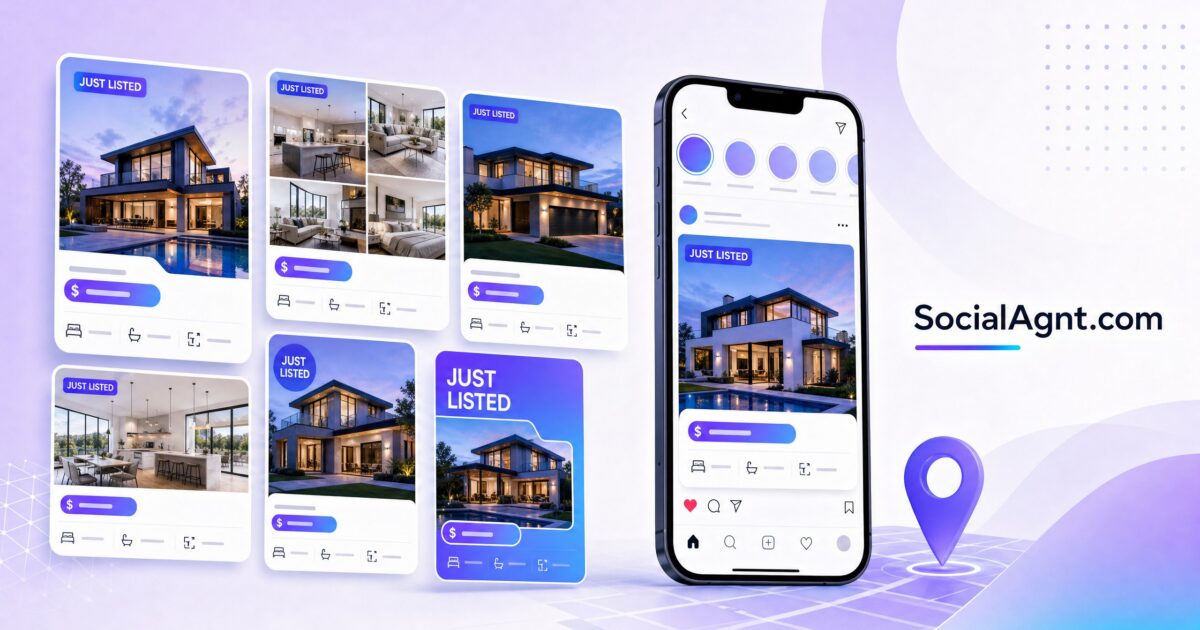
Key Takeaways: Your listing just hit the market — and the first place it should show up (besides the MLS) is your social media. A strong just listed social media post does more than announce a property. It creates urgency, showcases your professionalism, demonstrates your value to future sellers watching your feed, and drives immediate interest from buyers. But most agents approach listing announcements the same way: a photo, a price, a bedroom count, and “DM me for details.” That formula is forgettable. This guide gives you proven just listed social media post templates — for Instagram, Facebook, TikTok, LinkedIn, and Stories — that you can customize for any property, in any market, at any price point. Each template is designed to stop the scroll, highlight what makes the property special, and generate real engagement from your audience.
Why Just Listed Posts Matter More Than You Think
Every just listed post serves two audiences simultaneously: buyers who might want the property and future sellers who are evaluating whether you’re the right agent to sell their home. Buyers see the property and decide whether to inquire. Sellers see how you market properties and decide whether they want that same level of exposure for their home. This dual audience is why your just listed posts need to be more than informational — they need to be impressive.
A well-crafted just listed post also signals activity. Agents who regularly post new listings appear busy, successful, and in-demand. That perception drives both buyer inquiries and seller listing appointments. Conversely, an agent whose feed shows no listing activity appears inactive — regardless of how many deals they’re actually closing off-platform. Social media visibility is the modern version of the “Sold” rider on your yard sign. It’s public proof that you’re doing business.
The timing of your just listed post matters, too. Posting within the first 24 hours of a listing going live creates a sense of freshness and exclusivity. Your social media audience sees the property before it gains traction on Zillow or Realtor.com, which makes them feel like insiders with early access. That feeling drives faster engagement — comments, shares, saves, and DMs — which in turn signals to the algorithm that your post deserves wider distribution.
The Anatomy of a High-Performing Just Listed Post
Before diving into templates, it’s important to understand what separates a just listed post that generates 10 likes from one that generates 100 saves and a dozen DMs. High-performing listing posts share these structural elements:
A hook in the first line. The first sentence of your caption determines whether people read the rest. “Just Listed!” is not a hook — it’s what every other agent writes. A hook creates curiosity, paints a picture, or states something unexpected: “This backyard is the reason the sellers hate to leave.” “Under $400K in [Neighborhood] — and yes, it’s real.” “Three offers in the first weekend? I’m calling it now.”
Lifestyle-first description. Buyers don’t buy bedrooms and bathrooms — they buy the life they’ll live in the home. Instead of leading with specs, lead with the experience: “Morning coffee on the wraparound porch. Kids walking to the top-rated elementary school two blocks away. Weekend barbecues in a backyard that was made for entertaining.” The specs matter, but they should support the lifestyle story, not replace it.
Specific details that create credibility. Vague descriptions (“beautiful kitchen,” “great location”) feel like filler. Specific details feel like expertise: “The kitchen was fully renovated in 2024 with quartz countertops, a six-burner Wolf range, and custom soft-close cabinetry.” “Located on a quiet cul-de-sac just 0.3 miles from the Greenway Trail and a four-minute drive to the Whole Foods on Main.” Specificity demonstrates that you know the property intimately — which builds confidence in both buyers and future sellers.
A clear call to action. Every just listed post should tell the audience exactly what to do next: “DM me to schedule a private showing,” “Save this post and send it to someone looking in [area],” “Comment DETAILS and I’ll send you the full listing.” The call to action converts passive scrollers into active leads.
High-quality visuals. This should go without saying, but it bears repeating: your listing photos are the single biggest factor in whether someone stops scrolling. Use professional photography whenever possible. If you’re using your own photos, shoot during golden hour, stage key rooms, and never post dark, cluttered, or unflattering images. One stunning hero image outperforms ten mediocre ones.
Instagram Just Listed Post Templates
Template 1: The Lifestyle Story
This template leads with the life the buyer will live in the home, weaving in property details naturally. It works best for homes with strong lifestyle appeal — walkable neighborhoods, outdoor living spaces, family-friendly features, or unique character.
Structure your caption like this: Open with a one-sentence lifestyle hook that captures the feeling of living in the home. Follow with two to three sentences describing the daily experience — mornings, evenings, weekends — using sensory details. Then transition to the key property specs (beds, baths, square footage, notable features) in one to two sentences. Close with the price, location, and a call to action.
Example framework: “[Lifestyle hook about the home’s best feature]. Imagine [morning/evening/weekend routine in this home]. [Sensory detail about a specific space]. This [beds]/[baths] [home type] in [neighborhood] offers [square footage] of [descriptive phrase] at [price]. [Call to action].”
Template 2: The Feature Spotlight
This template works best for homes with one standout feature that differentiates them from the competition — a chef’s kitchen, a resort-style pool, a panoramic view, a historic detail, or a recent renovation. Instead of trying to describe the whole property, this template zooms in on the single most compelling element and builds the entire post around it.
Structure your caption: Open with a bold statement about the standout feature. Spend two to three sentences describing that feature in rich, specific detail. Then pull back to give the broader property context — total size, other highlights, neighborhood, and price. Close with a call to action that ties back to the featured element.
Example framework: “The [standout feature] in this [neighborhood] [home type] is worth the click alone. [Two to three sentences with specific details about the feature — materials, dimensions, design choices, renovation details]. Beyond the [feature], you’ll find [beds] bedrooms, [baths] bathrooms, and [additional highlight] across [square footage] in [neighborhood]. Listed at [price]. [CTA: ‘DM me for a private tour — you have to see this [feature] in person.’]”
Template 3: The Data-Driven Listing
This template works best for investment properties, competitively priced homes, or markets where buyers are analytical and numbers-driven. It positions you as a market expert while showcasing the property’s value.
Structure your caption: Open with a compelling market data point or comparison. Connect that data to why this specific listing represents an opportunity. Provide the key property details with an emphasis on value metrics. Close with a call to action that emphasizes urgency or opportunity.
Example framework: “[Market data hook — e.g., ‘The median home in [neighborhood] sold for $X last month’]. This [beds]/[baths] at [price] is [comparison — below median, price per square foot advantage, recently appraised higher]. [Key features that justify the value]. [Neighborhood context and amenities]. This won’t last — [CTA].”
Template 4: The Carousel Deep Dive
Instagram carousels (multi-image posts) consistently outperform single-image posts in engagement metrics because they encourage users to swipe, which signals engagement to the algorithm. For just listed posts, carousels let you tell a visual story that a single photo can’t capture.
Structure your carousel: Slide one is your hero image with a text overlay — the price, address or neighborhood, and one compelling phrase (“Modern farmhouse meets city living”). Slides two through seven feature individual rooms or features with brief text overlays highlighting what makes each special. The final slide is a summary with price, key specs, and your call to action. Your caption provides the full description with lifestyle details, specs, and your contact information.
SocialAgnt’s AI-powered caption generator creates professional just listed posts in seconds — tailored to the property, the platform, and your brand voice. Pair it with listing templates and schedule across Instagram, Facebook, TikTok, LinkedIn, YouTube, and Google Business Profile from one dashboard. Start your free account today.
Facebook Just Listed Post Templates
Template 5: The Community Context Post
Facebook audiences tend to skew slightly older and more community-oriented than Instagram audiences. Just listed posts on Facebook perform best when they emphasize neighborhood, community, and lifestyle context — the things that Facebook users care most about when considering a home.
Structure your caption: Open with a neighborhood-focused hook that establishes the community context. Describe the home’s relationship to the surrounding area — walkability, nearby amenities, school districts, community features. Then provide the property details with an emphasis on how the home fits into the neighborhood’s character. Close with your call to action and encourage sharing.
Example framework: “[Neighborhood] just got a new listing — and if you’ve been waiting for the right home in this community, pay attention. [Description of the neighborhood’s appeal — walkability, schools, parks, local businesses]. This [beds]/[baths] at [address/cross streets] sits [location context — corner lot, cul-de-sac, walking distance to…]. [Key features]. Listed at [price]. Know someone who’d love to live here? Share this post or tag them below. DM me for showing details.”
Template 6: The Video Walkthrough Post
Facebook’s algorithm heavily favors video content, making video walkthroughs one of the most effective just listed formats on the platform. You don’t need a professionally produced video — a well-lit smartphone walkthrough with genuine, enthusiastic narration outperforms polished but impersonal content.
Structure your video: Start at the front of the home with your introduction (property address, price, your name). Walk through the home highlighting the features you’d point out during an in-person showing — the things that photos don’t capture (the flow between rooms, the natural light, the size of spaces, the views from windows). Keep the video between 60 and 90 seconds. In your caption, provide the full property details that the video covered plus your call to action.
Template 7: The Just Listed Event
If you’re hosting an open house for the listing, create a Facebook Event alongside your just listed post. The event format appears in a different section of Facebook’s interface, reaching people who might not see your standard post. In the event description, include all property details, professional photos, and clear directions. The event format also creates a built-in reminder system — people who mark “Interested” receive notifications before the open house.
TikTok and Reels Just Listed Templates
Template 8: The Reveal Video
The reveal format is one of TikTok’s most reliable engagement drivers for real estate content. The concept is simple: create anticipation before showing the property, then deliver the reveal in a way that satisfies the curiosity you built.
Structure your video: Start with a hook that creates anticipation — “This just hit the market in [neighborhood] for [price] and I’m still thinking about it” or “My new listing has the best [feature] I’ve seen all year. Let me show you.” Then reveal the home with a series of quick cuts set to trending audio, showing the most impressive spaces and features. End with the key details (price, beds, baths, location) as text overlay and a verbal call to action.
Template 9: The “What $X Gets You” Format
Price-anchor content performs exceptionally well on TikTok and Reels because it immediately qualifies viewer interest and creates an emotional reaction. People watching either think “That’s a great deal” or “That’s expensive for what you get” — either reaction drives comments, which drives algorithmic distribution.
Structure your video: Open with “Here’s what [price] gets you in [city/neighborhood]” as your hook (text overlay and verbal). Walk through the property with quick cuts, using text overlays to highlight features as you move through each space. End with the full details and your call to action. If you have multiple listings at similar price points in different areas, create a comparison video — “What $500K gets you in [Area A] vs. [Area B]” — which has even higher share potential.
Template 10: The Day-in-the-Life Listing Launch
This format shows the behind-the-scenes process of bringing a listing to market — and it works because TikTok audiences love authentic, process-driven content. Film clips throughout the day: your morning preparation, arriving at the property, reviewing staging, meeting the photographer, reviewing the final photos, and then the “just listed” moment when it goes live on the MLS.
This format serves the dual audience perfectly. Buyers see the property and might inquire. Future sellers see the level of effort and professionalism you bring to every listing — which is exactly what convinces them to hire you when they’re ready to sell.
LinkedIn Just Listed Post Templates
Template 11: The Market Analysis Listing
LinkedIn audiences are more analytical and professionally oriented than other platforms. A just listed post that simply announces a property will underperform on LinkedIn. Instead, frame your listing within a broader market narrative that demonstrates your expertise.
Structure your post: Open with a market observation or insight related to the listing’s neighborhood, price point, or property type. Connect that insight to your specific listing — explaining why this property is noteworthy given current market conditions. Provide the key property details within this analytical context. Close with a professional call to action and an invitation for market discussion.
Example framework: “[Market insight or trend observation]. Against that backdrop, I’m pleased to bring [address/neighborhood] to market at [price]. [Property description with emphasis on investment value, market positioning, or notable features]. [Professional CTA — ‘Reach out if you’d like to discuss this property or the [neighborhood] market in detail.’]”
Stories Just Listed Templates
Template 12: The Multi-Story Sequence
Instagram and Facebook Stories are perfect for just listed content because the sequential format creates a natural walkthrough experience. Design a five to eight Story sequence that builds from teaser to full reveal.
Story one: “Just Listed” announcement with the hero exterior photo and a poll sticker (“Would you live here? Yes / In a heartbeat”). Story two: Kitchen or most impressive interior space with a detail caption. Story three: Primary bedroom or living area. Story four: Outdoor space, view, or unique feature. Story five: Price, key specs, and neighborhood context. Story six: Call to action — “DM me for a showing” or “Swipe up for the full listing.” Add location tags and relevant hashtags to each Story for discoverability.
Template 13: The Coming Soon to Just Listed Pipeline
Build anticipation for your listing before it even hits the market by posting “Coming Soon” Stories two to three days before launch. Tease the property with partial glimpses — a detail shot of the kitchen hardware, a peek at the view from the back patio, the neighborhood street view without revealing the exact address. Then, when the listing goes live, your “Just Listed” announcement has a built-in audience of people who’ve been waiting for the reveal. This technique generates more first-day engagement than a cold announcement and creates a sense of exclusivity that buyers respond to.
Caption Writing Tips for Just Listed Posts
Opening Hooks That Stop the Scroll
The first line of your caption is everything. On Instagram, only the first one to two lines are visible before the “more” truncation. On Facebook, the first sentence determines whether people expand the post. On TikTok, your opening hook (verbal and text) determines whether viewers watch past the first two seconds.
Effective opening hooks for just listed posts fall into several categories. Question hooks ask the reader something that creates curiosity: “What would you do with a 1,200-square-foot rooftop terrace?” Bold statement hooks make a claim that demands attention: “This might be the best value in [neighborhood] right now.” Emotion hooks tap into feelings: “I walked into this home and immediately thought — someone is going to be very happy here.” Scarcity hooks create urgency: “This is the first home under $350K in [neighborhood] in four months.” Contrast hooks set up a comparison: “From the street, it looks like a modest ranch. Inside? You won’t believe it.”
Descriptions That Sell the Lifestyle
Train yourself to describe experiences rather than features. Instead of “large backyard,” write “a backyard big enough for a full-size trampoline, a garden, and still have room for the dog to run.” Instead of “updated kitchen,” write “a kitchen where the island seats five and the double ovens mean Thanksgiving dinner actually happens on time.” Instead of “great location,” write “three blocks from the farmers market you go to every Saturday morning.”
These experiential descriptions work because they help buyers see themselves in the home. Abstract features (“modern finishes”) don’t create mental images. Specific experiences (“making pancakes on a Sunday morning while the kids do homework at the waterfall-edge island”) create vivid pictures that stick in memory and drive action.
Calls to Action That Convert
Your call to action should be specific and low-friction. “Contact me for more info” is vague and requires the reader to figure out how to contact you and what info to ask for. “DM me the word TOUR and I’ll send you the full photo gallery and schedule a private showing” is specific, easy, and gives the person a concrete next step. Other effective CTAs include asking people to save the post for later, tag a friend who’s looking in that area, share the post to their Stories, or comment a specific word to receive additional information.
Customizing Templates by Property Type
Luxury Listings
Luxury property posts should feel elevated in both language and visual presentation. Use more sophisticated vocabulary — “residence” instead of “house,” “culinary kitchen” instead of “nice kitchen,” “grounds” instead of “yard.” Emphasize craftsmanship, materials, and design pedigree. Mention the architect, the builder, or the design firm if they’re noteworthy. Keep the caption tone confident and understated — luxury marketing whispers, it doesn’t shout.
First-Time Buyer Properties
For properties in the first-time buyer price range, emphasize accessibility, value, and the emotional milestone of homeownership. Use warm, encouraging language that acknowledges the significance of a first purchase. Highlight features that first-time buyers prioritize: move-in ready condition, low maintenance, proximity to work, and monthly payment affordability. Include educational elements — “With today’s rates, the estimated monthly payment on this home is approximately $X” — that help first-time buyers translate a listing price into their monthly reality.
Investment Properties
Investment property posts should lead with the numbers. Include cap rate, rental income potential, price per unit (for multi-family), and cash flow projections when available. The audience for investment content is analytical and financially motivated — they want data, not lifestyle descriptions. Structure your post around the investment thesis: why this property makes financial sense, what the returns look like, and what value-add opportunities exist.
Condos and Townhomes
Condo and townhome listings benefit from emphasizing the low-maintenance lifestyle and community amenities. Highlight what’s included — HOA services, fitness centers, pools, concierge, security — and frame these as lifestyle upgrades rather than costs. Address common condo concerns proactively: HOA financials are healthy, reserves are fully funded, no pending assessments. For townhomes, emphasize the blend of single-family space with condo convenience.
SocialAgnt connects to your MLS and automatically generates polished just listed posts — complete with AI-powered captions tailored to the property and platform. Schedule across Instagram, Facebook, TikTok, LinkedIn, YouTube, and Google Business Profile from one dashboard. Start free today.
Hashtag Strategy for Just Listed Posts
Your just listed posts need a hashtag strategy that balances broad real estate discovery with hyperlocal targeting. Use a layered approach: two to three broad hashtags (#justlisted, #newlisting, #homeforsale) for volume, three to five market-specific hashtags (#[city]realestate, #[city]homesforsale, #[neighborhood]living) for local discovery, and two to three niche hashtags specific to the property type (#condoliving, #luxuryhomes, #firsttimehomebuyer) for targeted reach.
On Instagram, place hashtags either at the end of your caption or in the first comment — both work for discoverability. On TikTok, include hashtags in the caption and focus on three to five highly relevant tags rather than maxing out. On LinkedIn, use three to five professional hashtags maximum. On Facebook, hashtags have minimal impact — focus your Facebook efforts on compelling copy and visuals rather than hashtag optimization.
Always include a location tag on Instagram posts and Stories. Location tags are one of the most powerful local discovery tools on the platform — people searching for content in your area will find your listing through location tags even if they don’t follow you or search your hashtags.
Timing and Frequency for Just Listed Posts
Post your initial just listed announcement within 24 hours of the listing going live on the MLS. This first post is your main announcement — your strongest photos, your best caption, your most compelling call to action. But one post isn’t enough to maximize exposure for a listing. Plan a content sequence that spreads across several days:
Day one: Main just listed announcement post (feed post with best photos and full caption). Day one to two: Stories sequence with the multi-Story walkthrough template. Day three to four: Feature spotlight post zooming in on the property’s best element. Day five to seven: Video content — walkthrough Reel, TikTok, or Stories video tour. Week two: Open house announcement (if applicable) or price update. Throughout: Share the listing to your Stories periodically, especially when you have new photos, showing feedback, or engagement milestones to share.
This multi-touch approach ensures that your listing reaches different segments of your audience at different times — because not everyone sees every post. A follower who missed your Monday announcement might catch your Wednesday feature spotlight or your Friday video tour.
Common Just Listed Post Mistakes to Avoid
Leading with the MLS description. Your MLS description is written for other agents and home search portals. It’s not written for social media. Social media captions should be conversational, personality-driven, and lifestyle-focused — not a copy-paste from the MLS remarks field. Rewrite every listing description for social media with a social-first voice.
Using only exterior photos. The exterior is usually the least emotionally compelling part of a home. Lead with your strongest interior image — the kitchen, the primary suite, the living room with natural light flooding in. Save the exterior for your carousel or secondary posts.
Forgetting the dual audience. Remember that future sellers are watching. Every just listed post is an audition for your next listing appointment. The quality of your marketing, the professionalism of your photos, and the effort you put into each post directly influences whether homeowners in your market choose you when they’re ready to sell.
Posting identical content across platforms. Each platform has different audience expectations and content formats. Your Instagram carousel should look different from your LinkedIn post, which should look different from your TikTok. The property information is the same, but the presentation, tone, and format should be tailored to each platform’s strengths.
No follow-up content. A single just listed post reaches a fraction of your audience. If you post once and move on, you’re leaving exposure on the table. Plan multiple touches across multiple days and multiple content formats to maximize the number of people who see your listing.
Your just listed posts are one of the most powerful content types in your real estate social media strategy — they showcase your current business, attract active buyers, and audition your marketing skills for future sellers. Use these templates as starting frameworks, then customize them with your voice, your market knowledge, and the specific details that make each property special. And let SocialAgnt handle the heavy lifting — AI-powered listing captions, MLS integration, professional templates, and multi-platform scheduling that turns every new listing into a content moment across all your channels.
Ready to save 5+ hours per week on social media?
SocialAgnt helps real estate agents schedule posts, create AI content, and grow their brand across 7 platforms. Try it free for 14 days.
