
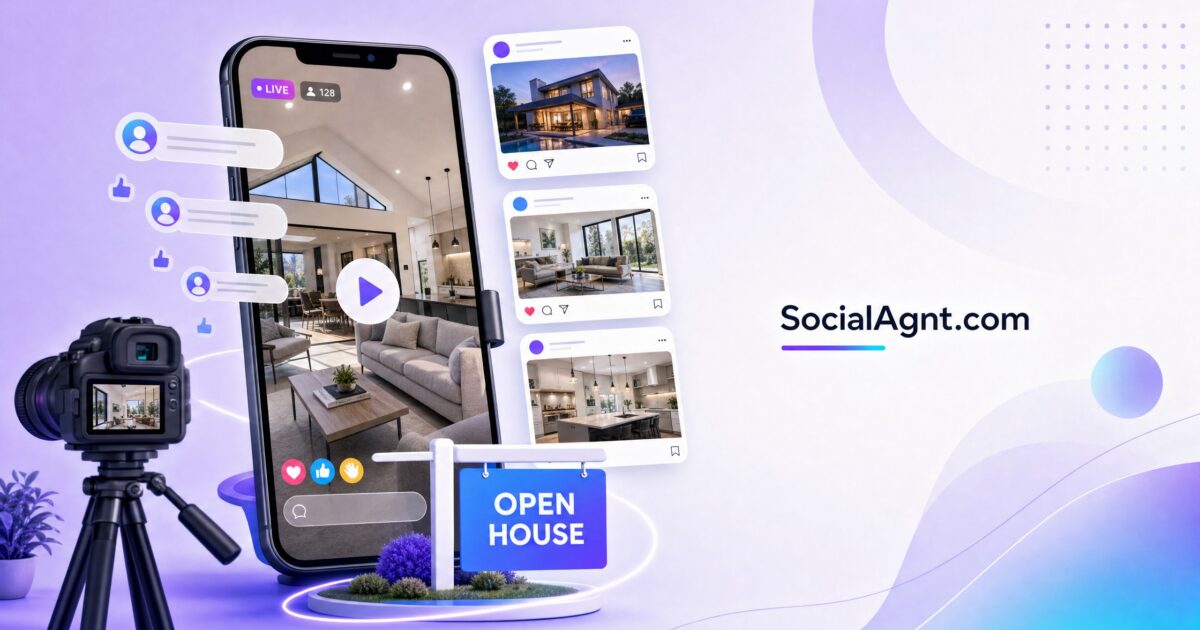
Key Takeaways: Facebook Live is one of the most underutilized tools in real estate marketing — yet the data overwhelmingly supports its effectiveness. Homes marketed with video sell 31% faster and receive 403% more inquiries than those without. Real estate companies report 62% increased social engagement when using video content. And nearly 75% of homeowners say they’re more likely to work with an agent who uses video in their marketing. Facebook Live takes these video advantages further by adding real-time interaction — viewers ask questions, you answer on the spot, and the conversation builds trust at a pace that pre-recorded video simply can’t match. For virtual open houses specifically, Facebook Live lets you showcase properties to dozens or hundreds of qualified prospects simultaneously, from anywhere in the world, without the logistical constraints of a physical event. Facebook also prioritizes live video in its algorithm, giving your broadcasts significantly more organic reach than standard posts. This guide covers everything you need to host effective Facebook Live sessions for real estate: the equipment and setup, the virtual open house format, engagement strategies that keep viewers watching, and how to repurpose your live content for ongoing marketing value.
Why Facebook Live Works for Real Estate
The Trust-Building Power of Live Video
Facebook Live isn’t just content — it’s a trust-building event. When you go live, viewers see you unscripted, unedited, and authentic. There’s nowhere to hide behind polished production or carefully crafted messaging. That transparency is exactly what builds trust with potential clients who are making one of the largest financial decisions of their lives. They want to see the real you — your knowledge, your personality, your communication style — before committing to a professional relationship. Live video delivers that unfiltered impression in a way that no other content format can replicate.
Algorithmic Priority
Facebook’s algorithm gives live video significant priority in the news feed. When you go live, Facebook notifies your followers and pushes the broadcast higher in feeds than standard video posts. This algorithmic boost means your live broadcasts reach a larger percentage of your audience than almost any other content type. Longer broadcasts — fifteen minutes or more — receive even wider distribution because Facebook interprets sustained live streaming as high-quality content worth promoting.
Real-Time Interaction Creates Connection
The live comment stream transforms a broadcast from a one-way presentation into a two-way conversation. When a viewer asks “How big is the backyard?” and you walk outside to show them in real time, that interaction creates a personal connection that pre-recorded video can’t achieve. Each question you answer demonstrates expertise, responsiveness, and genuine interest in helping — all qualities that prospective clients are evaluating. Viewers who interact during a live broadcast are significantly more likely to follow up privately afterward because the interaction has already established a conversational relationship.
Equipment and Technical Setup
What You Need
The beauty of Facebook Live is its minimal equipment requirements. A smartphone with a decent camera, a stable internet connection, and adequate lighting are all you need to produce an effective broadcast. Professional camera equipment, studio lighting, and production software are unnecessary — in fact, overly produced live streams can undermine the authenticity that makes live video effective. Your audience expects and prefers the natural, slightly imperfect quality of a live mobile broadcast.
Essential Equipment Checklist
Smartphone. Any modern smartphone produces video quality sufficient for Facebook Live. Ensure your camera lens is clean and your phone has adequate storage and battery life for a 15-to-30-minute broadcast.
Stabilization. A handheld gimbal or a simple smartphone tripod eliminates the shaky, nausea-inducing camera movement that drives viewers away. If you’re walking through a property, a gimbal keeps your footage smooth and professional. If you’re presenting from a fixed position, a tripod keeps the frame steady.
Audio. Your phone’s built-in microphone works adequately in quiet environments, but a clip-on lavalier microphone ($15-30) dramatically improves audio quality — especially in larger spaces where echo can muddy your voice. Clear audio is more important than video quality for keeping viewers engaged.
Lighting. Natural light is your best friend. Open all blinds and curtains before going live. If natural light is insufficient, a simple ring light or portable LED panel ($20-40) provides even, flattering illumination. Avoid backlighting (standing in front of windows) which turns you into a silhouette.
Internet connection. Facebook Live requires a stable upload speed of at least 4 Mbps for smooth HD broadcasting. Test your connection speed at the property before going live. If Wi-Fi is unavailable or unreliable, ensure your cellular data connection is strong. A dropped or buffering stream frustrates viewers and undermines your professional presentation.
SocialAgnt helps you announce and promote your Facebook Live events across Instagram, Facebook, TikTok, LinkedIn, YouTube, and Google Business Profile — maximizing your live audience. AI-powered captions make promotion effortless. Start your free account today.
Hosting a Virtual Open House on Facebook Live
Pre-Event Promotion
A successful virtual open house starts with promotion one to two weeks before the event. Create a Facebook Event for your live broadcast with the date, time, property address (or general area), and teaser photos that generate interest. Share the Event across your personal profile, business page, relevant Facebook Groups, and other social platforms. Post countdown reminders at one week, three days, one day, and one hour before going live. The more viewers you have at broadcast start, the stronger your engagement signals to Facebook’s algorithm — which results in broader distribution during the broadcast.
Tease the property with sneak-peek photos and intriguing details in your promotional posts: “Sneak peek at Saturday’s virtual open house — wait until you see this kitchen renovation” or “Going live at 2 PM to tour a stunning 4BR in [neighborhood] — this one won’t last.” Build anticipation that makes people add the event to their calendars and plan to watch live.
Pre-Broadcast Preparation
Treat your virtual open house with the same preparation as an in-person showing. Stage the property, turn on all lights, open blinds, ensure the space is clean and uncluttered, and plan your walking route through the home. Walk the route once before going live to identify any obstacles (narrow doorways, dim hallways, noisy appliances) that could disrupt your broadcast. Have your property details ready — price, square footage, bedroom and bathroom count, lot size, notable features, and neighborhood information — so you can speak confidently without checking notes.
The Live Broadcast Structure
Opening (first two to three minutes): Welcome viewers, introduce yourself, and provide context. “Hey everyone! I’m [name], a real estate agent here in [city], and today I’m giving you an exclusive live tour of this gorgeous [property type] in [neighborhood]. The listing price is [price], and I think you’re going to love what you see.” Mention that you’ll be taking questions throughout the tour — this encourages viewers to engage from the start.
The Tour (ten to twenty minutes): Walk through the property systematically, spending one to two minutes in each room or area. In each space, highlight the key features, recent upgrades, and lifestyle benefits. Pause periodically to check the comment stream and answer viewer questions in real time. When a viewer asks about a specific feature, walk over and show it up close. This responsiveness demonstrates your attentiveness and keeps the broadcast interactive.
Exterior and Neighborhood Context (three to five minutes): Show the backyard, front yard, street view, and any outdoor features. Provide neighborhood context: nearby amenities, school districts, commute information, and community character. This broader context helps viewers evaluate not just the property but the lifestyle it offers.
Closing (two to three minutes): Summarize the property’s highlights, restate the price and key details, and provide clear next steps. “If you’re interested in scheduling a private showing, drop a comment below or DM me directly. I’ll be responding to everyone after the broadcast. Don’t forget to share this with anyone you know who might be looking in [area]!”
Engagement Strategies During the Broadcast
Active engagement during your live broadcast keeps viewers watching longer and signals to Facebook’s algorithm that your content is compelling — resulting in broader distribution. Greet viewers by name when they join: “Welcome, Sarah! Glad you could make it.” Read and respond to comments out loud: “Great question from Mike — the countertops are quartz, installed in 2024.” Ask viewers questions to prompt interaction: “What do you think of this living room layout? Would you keep it open concept or add a wall?” Periodically remind new viewers of the property details and encourage them to share the broadcast with friends who might be interested.
Beyond Virtual Open Houses: Other Facebook Live Formats
Market Update Live Sessions
Go live weekly or bi-weekly with a brief market update for your local area. Cover recent sales data, inventory trends, interest rate changes, and what the numbers mean for buyers and sellers. These recurring broadcasts position you as the go-to local market expert and create appointment viewing — followers who tune in regularly because they know when to expect your analysis. Consistency matters: same day, same time, every week builds audience habit.
Neighborhood Tour Lives
Take your audience on live walking or driving tours of neighborhoods in your market. Show the streets, the parks, the restaurants, the community vibe — the experiential elements that listing descriptions and static photos can’t capture. These tours are particularly valuable for relocation clients who can’t visit in person and for local followers who want to explore neighborhoods they’re considering.
Q&A Sessions
Host regular live Q&A sessions where you answer real estate questions from your audience in real time. Promote these sessions in advance and collect questions beforehand through Story question stickers or Facebook posts. Q&A sessions demonstrate your expertise across a wide range of topics while building the interactive relationship that converts followers into clients. They also generate content ideas — the questions your audience asks live are the topics they want you to cover in your regular content.
Behind-the-Scenes Live Content
Go live during interesting moments in your work: setting up for an open house, walking through a home inspection, celebrating a closing, or attending a community event. These behind-the-scenes broadcasts humanize you and give your audience insight into the real estate process from an agent’s perspective. They don’t need to be long or structured — five to ten minutes of authentic, in-the-moment content builds connection effectively.
Repurposing Your Live Content
On-Demand Replay Value
After your broadcast ends, the video remains permanently on your Facebook page as on-demand content. Viewers who missed the live broadcast can watch the replay at their convenience — and many do. The replay often accumulates more views than the live broadcast itself over the following days and weeks. Optimize your replay by adding a descriptive caption with property details and a CTA, pinning the video to the top of your page for current listings, and sharing the replay link across other platforms.
Clip Creation
Edit your live broadcast into shorter clips for use across platforms. Pull out the best thirty-to-sixty-second segments — a stunning kitchen reveal, a key market insight, or a particularly engaging Q&A exchange — and post them as Reels on Instagram, short videos on TikTok, or clips on YouTube Shorts. A single 20-minute live broadcast can generate five to ten short-form clips, each of which drives traffic back to your full content and your profile.
Measuring Facebook Live Performance
Track these metrics for your live broadcasts: peak concurrent viewers (your maximum simultaneous audience), total views (including live and replay), average watch time (how long viewers stayed — longer is better), engagement (comments, reactions, and shares during the broadcast), and post-broadcast actions (DMs, profile visits, and follows generated). Compare performance across different broadcast types and times to identify what resonates most with your audience.
Facebook Live transforms your real estate marketing from static content into dynamic, interactive events that build trust at scale. Whether you’re hosting virtual open houses, delivering market updates, or taking viewers on neighborhood tours, live video creates the authentic, real-time connection that converts passive followers into active clients. Start with one live broadcast per week, refine your format based on audience response, and let consistency compound your results. Use SocialAgnt to promote your live events and schedule your supporting content across every platform — so your live broadcasts reach the maximum audience every time.
SocialAgnt promotes your Facebook Live events and schedules content across Instagram, Facebook, TikTok, LinkedIn, YouTube, and Google Business Profile — ensuring your live broadcasts reach the widest possible audience. Start free today.
Ready to save 5+ hours per week on social media?
SocialAgnt helps real estate agents schedule posts, create AI content, and grow their brand across 7 platforms. Try it free for 14 days.
